


Here is a list of tips, tricks and techniques I follow in my blogspot:
How to Insert Table in Blogger Blog Posts
I use http://html-online.com/editor/ to insert tables in my blog. Go to new post--> HTML--> and paste the table code that you've created (see the images)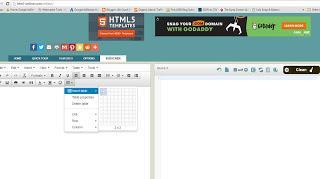

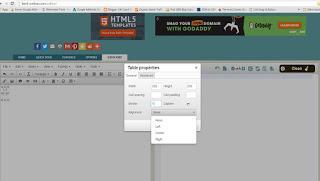
As real example, I've inserted the table in life coach blogger awards page.
How to Add a Gadget Inside a Blogspot Header for Adsense Ads
Very useful to utilize the blogspot header space. click here, Thanks Suresh for sharing. I've customized my blog.
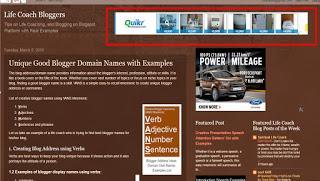
Add a Gadget Inside a Blogspot Header for Adsense Ads
Just that, after step 4(A and B), refresh the web browser once to see the changes.
How to Add Breadcrumbs Navigation to Blogspot Blogger
By adding breadcrumb navigation to your blog posts will help the visitors to understand how well you've organized your blog topics into level one, level two, level three and so on.Simply go to the blogpost, enter level one, level two and level three topics. I've added the breadcrumb navigation to some of my topics. Here is an example
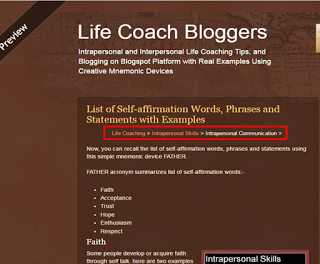
Breadcrumb Navigation to Blogspot Blogger
Adding a Floating “Back to Top” Button
It is useful button that helps the visitors to go to the top of the page. It doesn't require any technical skills such as CSS or a jquery.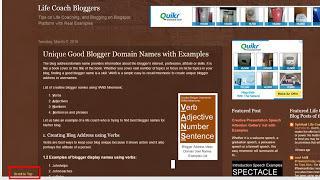
Here is how you do it. Very simple and I've added it for my blog:
bloggersentral (Thanks, Greenlava, It works!)
How to Insert Page break/Jump Break in my Blogspot Blogger
Very useful to make your blog posts organized. I've done it to my blog. It is easy, quick and simple.Here is how you do it
How to Insert Google Search Box in your Blogspot Blogger
Go to blogger dashboard-->Layouts-->Add a Gadget-->scroll down to find, "Search Box"-->Save. You're done. People who come to your blog will now be able to search a particular keyword. I've added the Google search box in mine.2. Change the image Background
Step 1: Click Template in bloggerStep 2: Click Edit HTMLStep 3: Search of Code, "tr-caption-container"Step 4: Under, "tr-caption-container", search for, "background: #8b3b3b;Step 5: Now, change the highlighted to any color you wantTo change the font color, look for cod:.post-body .tr-caption-container {color: #ffffff;
change the highlighted to any color you want.







