


This past Friday, Sony released the PS4 and sold an amazing one million units in just 24 hours. There were some first day hiccups and some console defects reported, but overall it seems like things went well. While my console worked fine, not everything went off without a hitch.
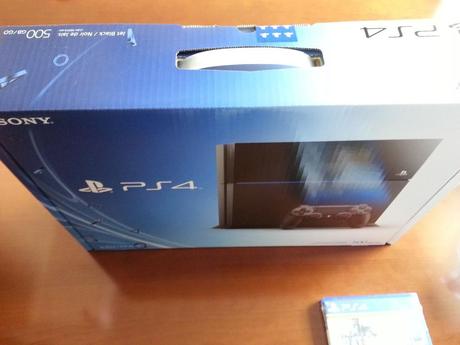
My brand spanking new PS4 in its surprisingly thin box
UPS delivered my PS4 bright and early on Friday and then I had to wait an interminable 7 hours before actually getting to hook the thing up. I knew that there was a day one update that was mandantory before I could really do anything and that is where I ran into my first problem. I went through the initial set-up and put in my wifi password and it started downloading the update. It got to within 20mb of being completed and gave me an error. It started downloading again, got to about the same spot and stopped again. After the third attempt at downloading I started searching and found that Sony had the file available on the Playstation site so I downloaded it from there, followed their install instructions and it worked. Too bad I wasted 45 minutes of failed downloads before trying it.
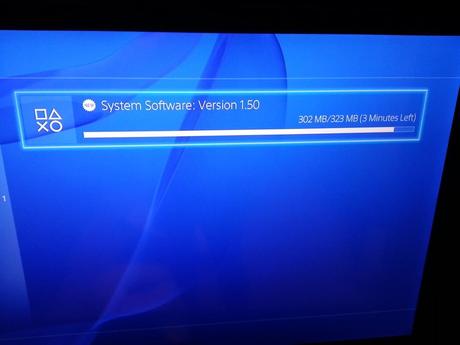
Almost done….then error. Over and over again.
Things went pretty smooth after the install. I logged in using my Playstation Network ID and it ported over everything related to that. I messed around with the navigation bar and it felt new, but also familiar. I certainly didn’t feel lost and new exactly what I needed to do. That’s a good sign. I put in my first game, Assasin’s Creed IV, and it immediately started installing the game. This is where things got interesting. With the PS4, Sony is requiring the game to be installed to the console. You can’t play it without the disc, but it is basically like an unlock key. This allows for some pretty neat things that PS3 owners should love. AC4 came with many codes for costumes and weapons so I started inputting those. On the PS3, you would have to quit the game and input codes and then go back to the game. With the PS4, it basically pauses the game, allows you to do whatever you need, then you can just continue. It is seamless, quick and works like a charm. I was very impressed. However, this is also when I ran into my second problem. Sony’s servers were going down, which is why I couldn’t download the update, and it was also causing problems connecting to the Playstation Network. I managed to get a few codes entered, but that was it. I started getting error after error. I finally gave up and just started playing the game. I was never able to access the PSN for the rest of that first night. Even into Saturday, I continued to see the message that the PSN was down for maintenance.
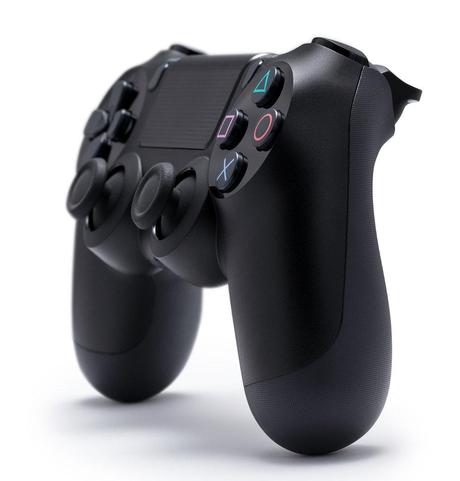
Sony’s revamped DUALSHOCK 4 controller
As far as playing the games, the biggest change I’ve encountered is with the DUALSHOCK 4. They keep pretty much everything that we love, but there are some significant changes. Gone are the select and start buttons. That may not sound like a big deal, but it gets confusing when playing a game you are familiar with. My thumbs kept going to a start button that wasn’t there to pause the game, or to the missing select button to pull up a map. Sony has moved those functions to the touchpad located on top of the controller.
Then there are the new ”share” and “options” buttons. The “share” button allows you to take a photo of your screen or a 15 minute video. You can also broadcast your gameplay. I’ve done the photo upload and it worked great, but have yet to try the other share features. The options button was used various times throughout menus and the game. It seems to be a catch all type of thing for many different maintenance functions. You will also notice a light on the front of the controller that lights up blue by default. It is supposed to be used with the Playstation 4 camera to track movement, but can also change colors depending on what is happening in the game. I don’t have a Playstation Camera right now so haven’t seen how it interacts with that, but I can tell you the light is distracting in the dark. I could see it reflected in my screen and it was annoying. The last big change to the controller is battery life. With the PS3, charging my controller was an afterthought. The battery would last somewhere around 30 hours. With the DUALSHOCK 4, it’s more like 6 hours. That is a HUGE change that I bet most people don’t know about. I was shocked to see that I had to charge my controller on Sunday after a weekend of playing for a couple of hours each day. The good news is that you can charge the controller at night by plugging it into the PS4 while it is powered down, something you couldn’t do with the PS3. Also, the DUALSHOCK 4 uses a micro USB instead of a Mini USB so your DUALSHOCK 3 cables will not work. I’ve already found several cheap cables on Amazon that I am going to try that are 10 feet in length.
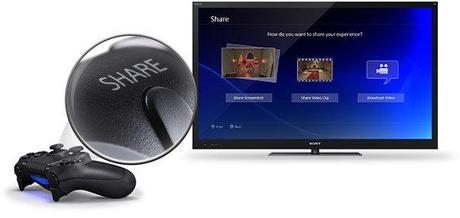
The new Share button. You might end up using it more than you think.
As with all new consoles, it is hard to judge how well it will do based on the first several months, if not the first year. Sony has made a gaming system that seems to take them back to the glory days of the Playstation 2 and that is something they really needed. They launched a console with a lower price point than what the PS3 started at, with developer friendly architecture and innovative gaming features that actually seem designed to enhance your experience. Now they need content that makes the PS4 a necessary upgrade to the PS3.
Speaking of content, I am going through several launch titles right now. I plan on writing up reviews of each one along with some of the Playstation Plus titles. Look for that in the next several days.






