Digital creativity has changed dramatically in the last decade. What once required a studio, a powerful desktop computer, and years of technical training can now be done on a laptop, tablet, or even a phone. For photographers, designers, marketers, influencers, small business owners, and content teams, smart image editing tools have become essential creative partners—speeding up tedious tasks while opening new possibilities for visual storytelling.
TLDR: Smart image editing tools use automation, artificial intelligence, and intuitive design features to help modern creators produce polished visuals faster. They can remove backgrounds, enhance photos, generate design variations, retouch portraits, resize content, and prepare images for different platforms. The best tools do not replace creativity; they reduce repetitive work so creators can focus on ideas, style, and strategy.
Why Smart Image Editing Matters Now
Modern digital creators work in a fast-moving visual economy. A single campaign may need images for Instagram, TikTok, YouTube thumbnails, email banners, product pages, online ads, blog headers, and presentations. Each platform has its own dimensions, visual expectations, file size limits, and audience behavior. Manually preparing every image can take hours, especially when deadlines are tight and content calendars are packed.
This is where smart editing tools become valuable. Instead of only offering traditional sliders, brushes, layers, and filters, these tools add intelligent assistance. They can identify subjects, understand backgrounds, detect faces, recognize lighting issues, suggest crops, and apply complex edits in seconds. The result is not just faster editing, but a smoother creative workflow.
Image not found in postmeta
What Makes an Image Editing Tool “Smart”?
A smart image editor is not simply a basic app with presets. Its strength comes from features that automate decisions or simplify advanced techniques. These tools often use machine learning, computer vision, cloud processing, and template-based design systems to help users complete professional-looking edits with less manual effort.
Common smart capabilities include:
- Background removal: Automatically separates the subject from the background for product photos, profile images, thumbnails, and promotional graphics.
- Object removal: Deletes unwanted elements such as people, wires, signs, shadows, or clutter while filling the space naturally.
- One-click enhancement: Improves brightness, contrast, sharpness, color balance, and exposure automatically.
- AI retouching: Smooths skin, corrects blemishes, whitens teeth, reduces shine, and enhances facial features while keeping results realistic.
- Smart cropping: Reframes images for different platforms while keeping the main subject visible and balanced.
- Generative fill: Expands, replaces, or creates parts of an image based on prompts or contextual analysis.
- Batch editing: Applies the same adjustments to many images at once, which is especially useful for ecommerce and social media teams.
These features are powerful because they remove friction. A creator no longer needs to spend twenty minutes masking hair, cleaning a background, or resizing the same design seven different ways. Smart tools handle the repetitive parts, and the creator directs the visual outcome.
Speed Without Sacrificing Quality
One of the biggest misconceptions about automated editing is that it always produces generic results. In reality, the best smart tools provide a strong starting point, not a final creative decision. They can quickly correct technical flaws, but users still control the mood, composition, branding, and message.
For example, a food blogger might use automatic color correction to brighten a restaurant photo, then manually adjust warmth to make the meal feel more inviting. A product seller might remove a background instantly, then choose a soft gradient, branded color, or lifestyle scene to support the item’s story. A photographer might use AI noise reduction on a low-light image, then fine-tune contrast and grain for a cinematic look.
The key advantage is efficiency. Smart tools help creators reach the creative stage faster. Instead of spending all their energy fixing problems, they can focus on building a recognizable style.
Essential Smart Editing Features for Digital Creators
Different creators need different features, but several smart editing functions have become especially useful across industries.
1. Background Removal and Replacement
Background removal is one of the most popular smart editing features because it solves a common problem: isolating a subject cleanly. This is useful for ecommerce images, profile photos, presentation graphics, event promos, and social media posts. A good background remover can detect hair, clothing edges, transparent objects, and irregular shapes with impressive accuracy.
After the background is removed, creators can place the subject on a plain color, a branded pattern, a realistic environment, or a transparent canvas. This flexibility makes it easy to create consistent product catalogs, professional headshots, or bold campaign visuals without scheduling a new photoshoot.
2. Object Cleanup
Even great photos can be ruined by distractions. A trash can in the corner, a photobomber, a wrinkle in fabric, or a random cable can pull attention away from the main subject. Smart object removal tools allow users to paint over the distraction and let the software rebuild the area using nearby textures and patterns.
This feature is particularly helpful for travel creators, real estate marketers, event photographers, and anyone who shoots in unpredictable environments. Instead of discarding a strong image because of one unwanted detail, creators can rescue it quickly.
Image not found in postmeta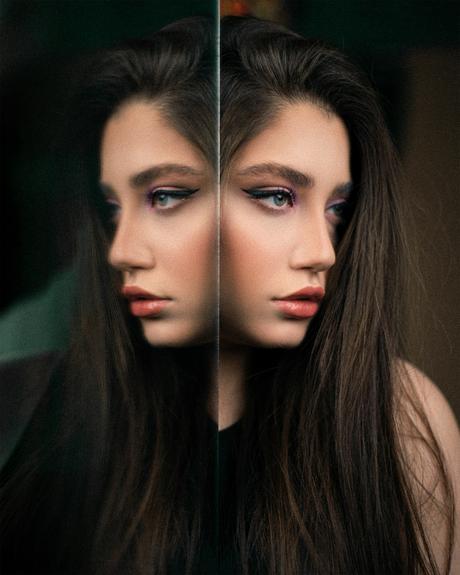
3. Automatic Image Enhancement
Image enhancement tools analyze exposure, highlights, shadows, clarity, saturation, and sharpness. With one click, they can improve a dull or underexposed image. While manual editing still matters, automatic enhancement is a practical time-saver for creators who need to process many images quickly.
For social media managers, this can mean preparing a full week of posts in minutes. For online sellers, it can mean making product images look consistent even if they were shot in different lighting conditions. For casual creators, it can turn ordinary snapshots into shareable visuals with minimal effort.
4. Smart Resizing and Format Adaptation
Every platform has its own preferred image size. A square post, a vertical story, a wide banner, and a thumbnail all require different compositions. Simple resizing often cuts off important details, but smart resizing can keep the subject centered and adapt the layout intelligently.
This matters because repurposing content is now a core part of digital strategy. A creator may start with one hero image and turn it into multiple assets: a website banner, an ad, a reel cover, a Pinterest pin, and a newsletter graphic. Smart resizing reduces the time needed to reformat each version.
5. Portrait and Face Retouching
Portrait retouching has become more accessible thanks to smart editing. Tools can identify faces and apply subtle improvements, such as reducing blemishes, softening under-eye shadows, enhancing catchlights, and balancing skin tones. The best results are natural rather than overly polished.
For modern creators, authenticity is important. Audiences often respond better to images that look clean and professional but still human. Smart retouching should support confidence and clarity, not create unrealistic appearances.
6. Generative Editing
Generative image editing is one of the most exciting developments in visual creation. Instead of only modifying existing pixels, generative tools can add new elements, extend backgrounds, change outfits, create props, or transform an image’s atmosphere. A small product photo can be placed in a seasonal scene. A portrait can be expanded into a wider editorial layout. A blank area can become a useful design space for text.
However, generative editing works best when guided by taste and intention. It can produce surprising results, but creators should still check realism, consistency, lighting, and brand fit. Used thoughtfully, it can become a powerful brainstorming and production tool.
How Smart Tools Support Different Types of Creators
Smart image editing is not limited to professional designers. Its appeal comes from its flexibility across creative roles.
- Content creators use smart editors to prepare thumbnails, polish lifestyle photos, create reels covers, and maintain a consistent feed.
- Small businesses use them for promotional graphics, product images, menu updates, seasonal sales visuals, and website assets.
- Photographers use them to speed up culling, retouching, background cleanup, image enhancement, and batch exports.
- Marketing teams use them to generate campaign variations, resize assets, test ad creatives, and keep branding consistent.
- Educators and presenters use them to make slides, diagrams, posters, and learning materials more engaging.
In each case, the value is not only visual quality. It is also the ability to produce more content with fewer bottlenecks.
The Role of Templates, Presets, and Brand Kits
Many smart image platforms combine editing tools with templates, presets, and brand controls. Templates help non-designers create balanced layouts quickly. Presets create consistent color grading or mood. Brand kits store logos, fonts, colors, and visual rules so teams can produce cohesive content.
This is especially useful when multiple people are creating visuals for the same brand. Without shared controls, a company’s content can start to look inconsistent. With smart brand features, creators can move faster while still staying aligned.
Consistency is a creative advantage. Audiences recognize repeated colors, typography, image styles, and composition patterns. Smart tools make it easier to build that recognition over time.
Image not found in postmeta
Choosing the Right Smart Image Editing Tool
The best tool depends on your goals, skill level, device, budget, and workflow. A professional photographer may need advanced RAW processing, precise masks, and color management. A social media creator may prioritize mobile editing, quick templates, and platform-ready exports. An ecommerce seller may need batch background removal and consistent product formatting.
Before choosing a tool, consider these questions:
- What images do you edit most often? Portraits, products, social posts, ads, landscapes, or illustrations?
- How much control do you need? Do you want quick automation, detailed manual editing, or both?
- Do you work alone or with a team? Collaboration, shared libraries, and brand settings may be important.
- Which devices do you use? Some tools are better on desktop, while others shine on mobile or in the browser.
- Do you need commercial usage rights? Always check licensing rules for templates, stock assets, and generated images.
- How important is export quality? Look at resolution limits, file formats, compression options, and support for transparent backgrounds.
Best Practices for Better Results
Smart editing tools are powerful, but they still benefit from good habits. Start with the highest-quality source image possible. Good lighting, sharp focus, and clean composition make automated tools work better. Use AI enhancements as a foundation, then refine the results manually. Check edges after background removal, especially around hair, glass, jewelry, and fabric. Avoid overusing retouching or sharpening, as these can make images look artificial.
It is also wise to create a repeatable workflow. For example: import images, apply basic correction, remove distractions, adjust composition, add brand elements, export in platform-specific sizes, and archive the final files. A clear process reduces mistakes and saves time.
Ethics and Authenticity in Smart Editing
As editing tools become more advanced, creators must think carefully about transparency and trust. Removing a distracting object from a travel photo is different from altering a news image. Retouching a portrait for polish is different from changing someone’s body shape beyond recognition. Generating a product setting is useful, but the product itself should still be represented accurately.
Digital audiences are increasingly aware of manipulated visuals. Ethical editing protects credibility. Creators should ask: Does this edit clarify the message, or does it mislead the viewer? Smart tools should enhance communication, not distort reality in harmful or deceptive ways.
The Future of Smart Image Editing
The next generation of image editing tools will likely become even more conversational and context-aware. Instead of navigating complex menus, creators may simply type or say what they want: “Make this look like a warm morning café scene,” “resize this for a vertical ad,” or “remove the people in the background and add more space for headline text.” Tools will understand not only technical edits, but creative intent.
We can also expect better integration between image editing, video editing, 3D assets, and brand management. The line between photo editor, design platform, and content production system will continue to blur. For creators, this means fewer disconnected steps and more time spent making meaningful visual decisions.
Final Thoughts
Smart image editing tools have become a practical necessity for modern digital creators. They help transform raw visuals into polished assets faster, simplify advanced techniques, and make professional-looking design more accessible. From background removal and automatic enhancement to generative editing and smart resizing, these tools support both speed and creativity.
The most successful creators will not be those who let automation make every decision. They will be the ones who combine smart tools with strong taste, clear strategy, and authentic storytelling. In a world overflowing with visual content, the real advantage is not just editing faster—it is creating images that feel intentional, memorable, and worth looking at.