


If you are one of the many users of Outdoor Active that have decided to move over to use HiiKER but want to make sure that you can carry over all of your planned and recorded hiking routes, follow these simple steps.
When Outdooractive merged with Viewranger in 2021/22, many people had been looking for a good alternative for Outdooractive. At HiiKER, we have been busy building a platform that not only is an excellent replacement for Viewranger, but offers other features that position it as one of the best hiking apps on the market.
Ok, we might be bias! But if you’re curious to see if it would be a better fit that Outdooractive, you can see for yourself! The app and website are free to use and you can even get a Free Trial of PRO+ to gain access to premium features and map layers, such as EastWest maps (Exclusive to HiiKER), Harvey Maps, Ordnance Survey, USGS, OSi and so many more.

The following steps is for the desktop versions of both platforms. You can also do this on both apps, but desktop will be a slightly less complicated process.
Step 1 – Exporting your routes from OutdoorActive
First thing to do in moving your routes from OutdoorActive to HiiKER, is to open your profile on Outdooractive and open your “Plans”. At this point – make sure that you are logged in.

Once you have opened the route you wish to export, click on the 3 dots at the top right of the screen to expand the menu.
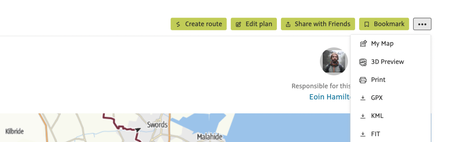
On the menu, select GPX. You can then save the route file to your computer.
Step 2 – Importing your routes to HiiKER
When you have logged into your HiiKER account, open up the “Trail Planner” at the top righthand corner of the screen.

Next you select “Upload GPX” and use the file that you have exported from Outdoor Active.
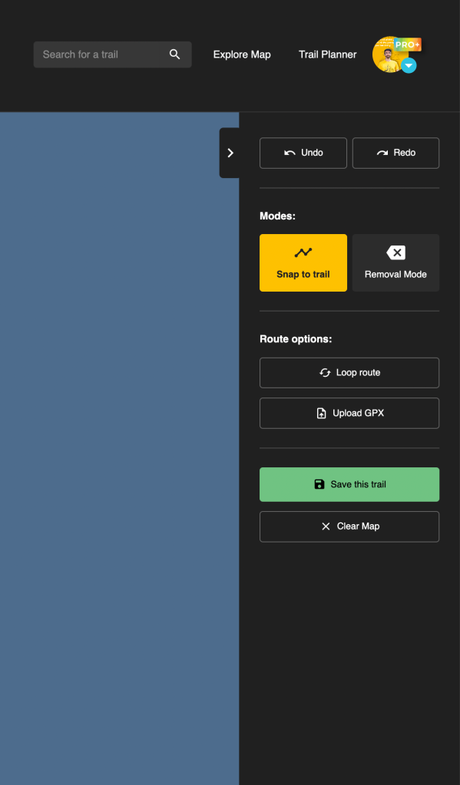
The route will then load on the map and you can save the trail to your “Planned Hikes”.
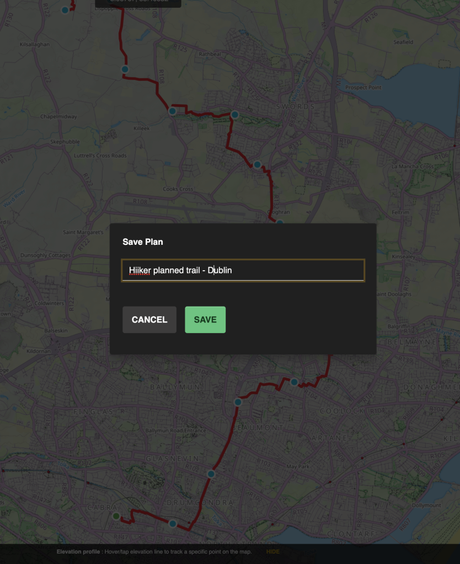
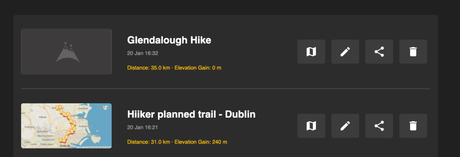
Step 3 – Accessing your imported route on the HiiKER App
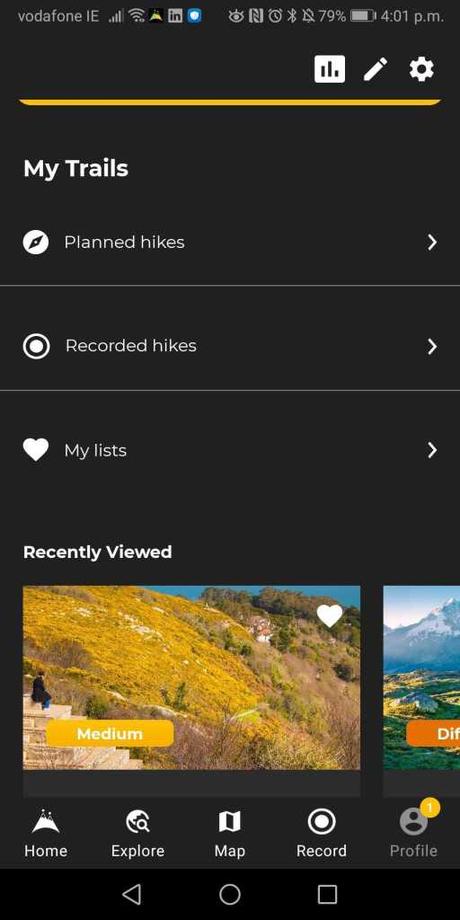
Simply open your HiiKER app and ensure that you are logged in. Navigate to your profile page and open you Planned Hikes.
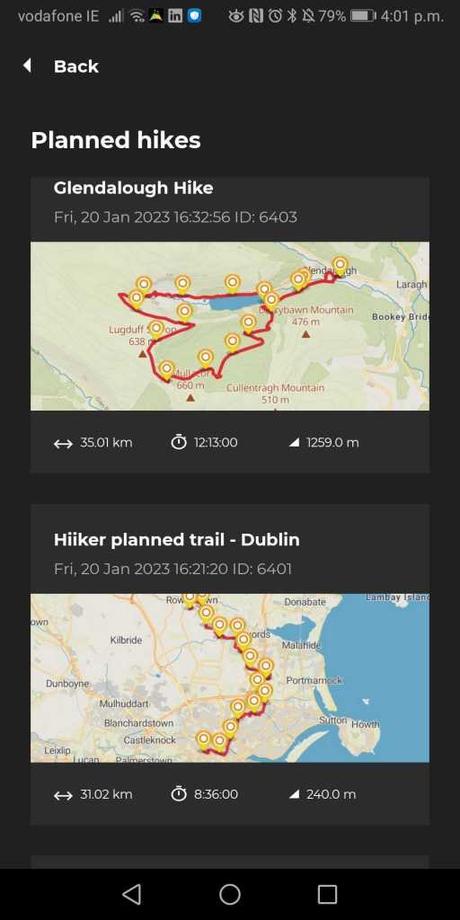
And that’s it! You can now move your favorite routes planned and recorded on Outdoor Active to HiiKER and use all the best features and maps that HiiKER has to offer.






