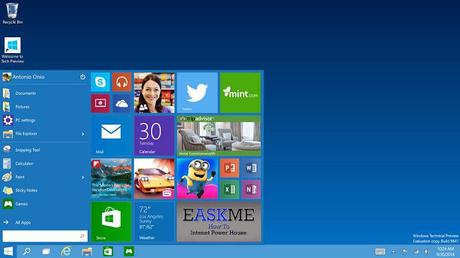
How to Upgarde to Windows 10 for Free : eAskme
Other people are reading : Secret Ways to Be Successful On Triberr : By To Notch BloggersReserve your upgrade
That is easy to do. In your system tray you will find the Windows 10 icon. You can confirm you want to reserve your upgrade. Enter your email Address to confirm your reservation. The device will download Windows 10. Then when it is ready you will be notified that it is ready.
Also See : Bing to Index Content from iOS, Android, and Windows Apps
But what if you don't see the icon?
There is a few things you should know first.
Any of the following causes can be the reason that upgrade isn't working or even showing. So please take note of it.
If you have a copy of windows that isn't genuine. The only way to resolve it is by getting genuine Windows.Get : Bluestacks Offline Installer free for Windows
If there is updates missing. Resolve the issue by updating the device. Or make sure Automatic updates is turned on.
Also please check compatibility issues. As it may not be Windows 10 compatible. For help regarding compatibility issues. Please check https://www.microsoft.com/en-us/windows/windows-10-specifications
Copies of Windows that isn't eligible for the upgrade.
Windows 7 Enterprise.Windows 8 Enterprise
Windows 8.1 Enterprise.
Windows RT
Windows 8.1 RT
Many have already changed to Windows 10. They find it is better and is full of new innovations. It is easy to use. Focused more on convenience. This way you get the free upgrade from your current Windows to Windows 10.
Have anyone started using it? What is your feelings and opinions of Windows 10? We will love to know what our readers think of it.