
Other people are reading : How to Use Flipboard To Get Traffic To Your Blog
Also Social Sharing give you boost in search engine as the more popular your article gets the more easily it rank in search engines. So here today I am going to share with you a popular sharing bar which is really easy to create and embed in your blog or website.
How to create Social Share Bar for Blog or Website:
- Go to SocialShareBar
- You will see a page like this
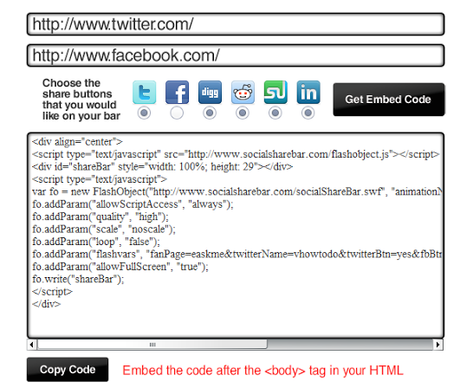
- Enter the name of your Facebook page
- Enter the name of your Twitter Page
- Select all social buttons by clicking there.
- Now click on "Get Embed Code"
- You will see a new code
- Click on "Copy Code" to copy this code.
- Paste it below <BODY> in HTML of your template. or anywhere in Body where you want to show it.
Don`t forget to like us on facebook and subscribe our newsletter to get free updates.