


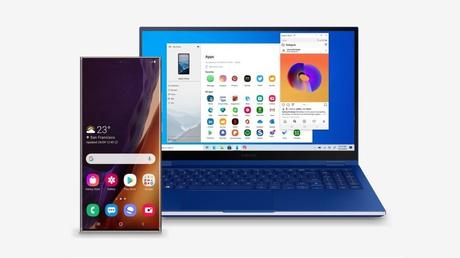
If you've struggled with emulators to run Android apps on Windows 10, rejoice because the Microsoft Your Phone app can do it for you now. The company has ad that the Your Phone app can now run Android apps on Windows 10 PCs, giving a much needed boost to multi-device multitasking.
Most of the time, we keep juggling our smartphone and PC in an effort to keep up to date with the latest social media updates while doing our jobs. Yes, web versions of various apps exist, but that's a whole different story.
In addition to social media apps, the new Your Phone feature will allow you to access other Android apps on your Windows 10 PC. For example, the clock, file manager, food ordering apps and can. - even be Google Play in its standard mobile-style user interface.
Android apps will open in a separate window on the PC and you can pin them to the taskbar and start menu. Also, the new feature is different from the already existing phone screen feature which allows you to mirror your entire Android screen to Windows 10.
Your Phone app will display a list of all the apps installed on your device so you can launch them without even touching your smartphone. For now, your phone will only run one Android app at a time. Support for multiple apps will be added later this year in November.
This is a Galaxy Note 20 exclusive
However, Android app support for Windows 10 is currently offered with recently released Galaxy Note 20 devices through Link to Windows integration. As we know Microsoft and Samsung have teamed up for a long term exclusive partnership so most of the new features in your phone are coming to Samsung devices for the first time.
In other words, you'll have to shell out at least a thousand dollars if you want to try out the feature right away. Hopefully more Galaxy devices will follow and the feature may arrive for other Android devices as well.






