You think you know your smartphone by heart, but you can ignore some of its useful and interesting features. Android devices have some hidden menus. These codes make it possible to explore functionalities in order to modify specific parameters. In this article we are going to present you a function hidden behind a secret code which can be very useful to you.
On Android devices, there are secret codes that can trigger certain features. These shortcuts can be very useful to you. Find out what happens if you type *2767*2878# on your smartphone.
Android device. Source: spm
What is the function behind the code *2767*2878#?
As you will have understood, on Android system devices there are digital combinations in the form of a code that may have hidden functionality. These little shortcuts are intended to save you time and directly trigger the action in question.
How to access it? Nothing could be simpler, just type the code on your smartphone.
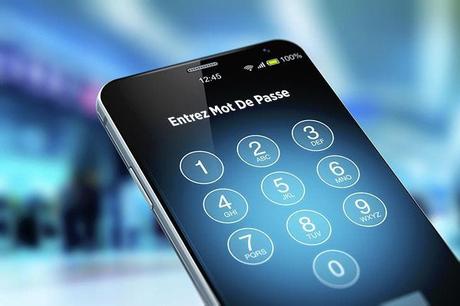
Android system. Source: spm
For Android systems, there are generally two types of reset you can adopt. A normal reset “Soft Reset” which allows you to reset your phone without erasing the data it contains and a complete reset “Hard Reset” which consists of restoring the phone by erasing all the data on it.
The code *2767*2878#, allows you to simply reset your device and restore it without erasing data from it. This process may sometimes be necessary to increase storage space and improve the performance of your mobile. No need to go through your phone’s settings, this shortcut gives you the possibility to trigger the operation directly.
This function can be very useful. It cleans the device and lightens it in order to optimize its operation. If necessary, type this code on your phone to set the record straight.
Other codes to trigger features in Android
There are a multitude of secret codes that can show very useful shortcuts. We quote a few below:
-
Code to display the IMEI
Enter *#06## – The IMEI “International Mobile Equipment Identity” is a number that uniquely identifies each mobile phone. 15-digit number, it could be useful in case of loss or theft, because it allows you to block the mobile phone through the operator. To know your IMEI number, you can insert the code *#06## on your “Telephone” application.
-
Code to save your photos and videos
Type *#273283*255*663282*# – This code is used to copy all the multimedia files to the internal memory of the device. So this code is considerably useful for you to save your photos and videos on your phone.

Caption: Backup icon displayed on Smartphone. Source: Istock
-
Code to test the Bluetooth function
Insert *#*#232331#*#*. This code allows you to test your phone’s Bluetooth function and verify its working condition, considering its use to connect to other devices.
These shortcuts can therefore be very useful to you. If you have an Android device, give them a try. The key: saving time and efficiency.
Read also Highway code: 135 euros fine and 6 points less if you do not respect this rule
Via SPM