


Last updated: March 2026
If you’re comparing Skillshare vs Udemy, you’re probably trying to figure out where to learn something new or where to sell a course you’ve been thinking about creating. Both are massive platforms. Both have millions of users. And both will happily take a significant cut of your revenue in exchange for access to their audience.
But here’s the thing most comparison articles won’t tell you. The question isn’t just “which platform is better.” The question is whether either platform is the right long-term choice for what you’re trying to build. Because there’s a third option that most course creators never consider until they’ve already given away years of content and thousands of dollars in commissions to someone else’s platform.
I’ve watched dozens of educators and creators go through this exact decision. Some thrived on Udemy. Some found their audience on Skillshare. And some eventually realized they needed to own their platform entirely. I want to walk you through all three paths honestly, so you can make the decision that actually fits your situation.
What Skillshare and Udemy Actually Are
These two platforms look similar from the outside, but they work in fundamentally different ways. Understanding that difference matters more than any feature comparison.
Skillshare is a subscription platform. Students pay $13.99 per month (or about $168 per year) and get unlimited access to every course in the library. Teachers don’t sell individual courses. Instead, they get paid based on how many minutes students watch their content. The money comes from a royalty pool that Skillshare divides among all creators based on watch time.
Think of it like Spotify for online courses. You don’t buy albums. You stream everything, and artists get paid fractions of a cent per play.
 Skillshare’s homepage highlights curated Staff Pick courses. The subscription model gives students unlimited access to the entire library.
Udemy works differently. Students buy individual courses, usually at prices between $10 and $200. Udemy runs aggressive sales constantly, so most courses sell for $9.99 to $19.99 regardless of their listed price. Instructors earn a percentage of each sale. If Udemy’s marketing brought the student, the instructor gets 37%. If the instructor brought the student through their own link, they get 97%.
Think of Udemy like a bookstore. You browse the shelves, pick what you want, and pay for each item individually.
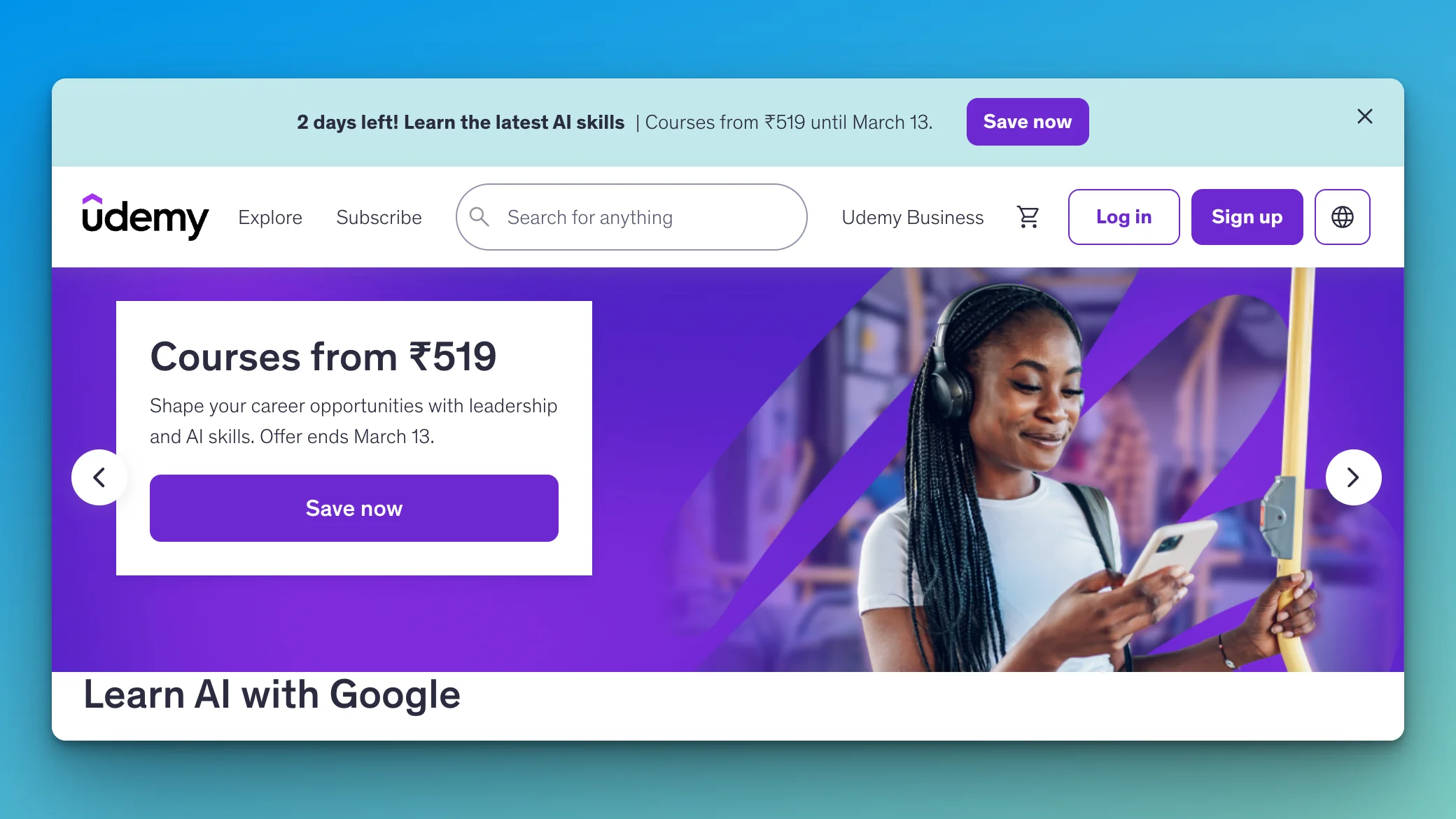 Udemy’s homepage during one of its frequent sales. Individual course purchases with heavy discounting define the student experience here.
That structural difference shapes everything else about these platforms. How much you earn. What kind of content works. How you build an audience. And whether you’re building something sustainable or just feeding someone else’s ecosystem.
What Creators Actually Earn
Let’s start with money, because that’s what most people dance around.
On Skillshare, the average teacher earns between $0.05 and $0.10 per minute watched. If you have a 60-minute course and 1,000 students watch the whole thing, that’s roughly $3,000 to $6,000. Sounds decent until you realize most students don’t finish courses. Average completion rates on Skillshare hover around 20-30%. So that 1,000-student course realistically earns $600 to $1,800.
The top Skillshare creators earn well. But they publish constantly. They have dozens of courses. They’ve built a following over years. For a new creator with one or two courses, the math is humbling.
On Udemy, a $100 course that sells for $14.99 during a promotion (which is most of the time) earns you about $5.55 per sale through Udemy organic traffic. If you drive the sale yourself, you keep $14.54. To make $5,000 per month at those rates, you need roughly 900 organic sales or 344 self-promoted sales. Every month.
The real pain point with Udemy is the discounting. You might price your course at $99, but Udemy will sell it for $12.99 during one of their perpetual sales events. You have limited control over this. Experienced Udemy instructors learn to accept it, but it can feel like your work is being devalued.
Now consider the third path. On your own WordPress site with a plugin like LearnDash or Tutor LMS, a $99 course that sells for $99 earns you $99 minus payment processing (roughly $3). You keep $96. No royalty pools. No 63% platform cut. No surprise discounts. You set the price, you keep the revenue.
Sit with that for a minute. The same course, the same content, the same effort to create. The difference is where you sell it and who controls the terms.
The Learning Experience (For Students)
If you’re reading this as a student trying to decide where to learn, here’s the honest breakdown.
Skillshare excels at creative skills. Illustration, graphic design, photography, writing, animation, music production. The courses tend to be shorter (30 to 90 minutes), project-based, and visually engaging. The subscription model means you can explore freely. Start a watercolor class, switch to logo design, try hand lettering. No commitment to any single course.
 Skillshare organizes courses into creative categories. The platform excels at design, photography, and creative skills.
The downside is quality variance. Because the barrier to publishing on Skillshare is relatively low, you’ll find brilliant courses sitting next to mediocre ones. There are no certificates of completion, which matters if you need credentials for career advancement.
Udemy covers a much broader range of topics. Programming, data science, business, marketing, personal development, music, health, and yes, creative skills too. Courses tend to be longer and more structured (5 to 60 hours). You get lifetime access to anything you buy, certificates of completion, and often downloadable resources.
 A typical Udemy course page. Detailed curriculum, student ratings, and lifetime access define the buying experience.
The downside is the pricing psychology. Courses are technically priced at $50 to $200, but sales happen so frequently that paying full price feels foolish. Most experienced Udemy students just wait for the next sale and buy everything at $9.99 to $14.99. The constant discounting creates a bargain-bin mentality that doesn’t always serve the learning experience.
Neither platform offers the depth of community that makes learning stick. You watch videos, maybe do an assignment, and move on. There’s no cohort experience. No peer accountability. No direct access to the instructor beyond Q&A forums that may or may not get responses.
That’s actually one of the strongest arguments for self-hosted course platforms built on WordPress. With plugins like BuddyPress, you can wrap an entire learning community around your courses. Discussion forums, student groups, progress tracking, live events. The kind of environment where people actually finish courses and get results.
Content Ownership and Control
This is where the comparison gets uncomfortable for creators.
On Skillshare, you retain ownership of your content but grant Skillshare a license to use it. You can remove your courses anytime, but while they’re on the platform, Skillshare controls how they’re presented, recommended, and monetized. You don’t get student email addresses. You can’t build a direct relationship with your audience outside of Skillshare’s ecosystem.
On Udemy, the situation is similar. You own your content, but Udemy controls pricing, promotions, and student data. You can see aggregate student information, but you don’t get a downloadable email list. Your ability to market directly to your students is limited to Udemy’s messaging system.
Both platforms can (and do) change their terms, algorithms, and payment structures. Creators who built their livelihood on these platforms have woken up to find their income cut in half by policy changes they had no say in.
On your own WordPress site, you own everything. The content, the student list, the pricing, the branding, the domain, the data. Nobody can change your revenue share overnight. Nobody can discount your course without your permission. Nobody can bury your course in search results because their algorithm shifted.
If you’re creating courses as a side project, platform risk might not keep you up at night. If courses are your business, ownership isn’t optional. It’s survival.
Reaching an Audience
Here’s the honest counterargument to everything I just said about ownership. Skillshare and Udemy have audiences. Massive ones.
Udemy has over 70 million students. Skillshare has over 12 million members. When you publish a course on either platform, you get access to people who are already there, credit card in hand, looking for something to learn. That distribution is genuinely valuable, especially when you’re starting from zero.
Building an audience on your own WordPress site means starting from scratch. SEO, content marketing, social media, email lists, paid advertising. It takes time. It takes consistent effort. And for the first several months, you might be selling to a very small number of people.
This is the real trade-off. Platforms give you reach in exchange for revenue and control. Self-hosting gives you ownership in exchange for having to build your own audience.
The creators I’ve seen do best understand this isn’t an either-or decision. They use Udemy or Skillshare as a discovery channel. They build their reputation and student base there. And then they gradually move their most valuable content to their own platform, where the economics actually work.
It’s like performing at someone else’s venue to build a following, then eventually opening your own.
Skillshare vs Udemy: The Side-by-Side
For those who want the direct comparison without the nuance, here it is.
Choose Skillshare if: You teach creative skills. You enjoy creating shorter, project-based content. You want passive income from a subscription model and you’re willing to publish consistently to build watch time. You don’t need certificates or structured learning paths.
Choose Udemy if: You teach technical or professional skills. You prefer creating comprehensive, structured courses. You want per-sale income and you’re willing to accept aggressive discounting. You value reaching the largest possible audience of individual buyers.
Choose neither if: You want to control your pricing, keep your student data, build a learning community, and retain 95%+ of your revenue. In that case, you need your own platform.
Building Your Own Course Platform with WordPress
If you’ve read this far and the idea of owning your platform resonates, here’s what the WordPress LMS path actually looks like. Not the fantasy version. The practical one.
You need four things: WordPress hosting, a theme, an LMS plugin, and a payment system.
Hosting is your foundation. Any managed WordPress host (Cloudways, SiteGround, WP Engine) works. Budget $20 to $40 per month for something reliable. This replaces the platform fees you’d pay to Skillshare or Udemy, and it’s yours.
A theme determines how your site looks and functions. For a course platform with community features, something like Reign or BuddyX Pro gives you a professional learning environment with built-in support for LMS plugins, community features, and WooCommerce. You get course pages, student dashboards, instructor profiles, and social learning features out of the box.
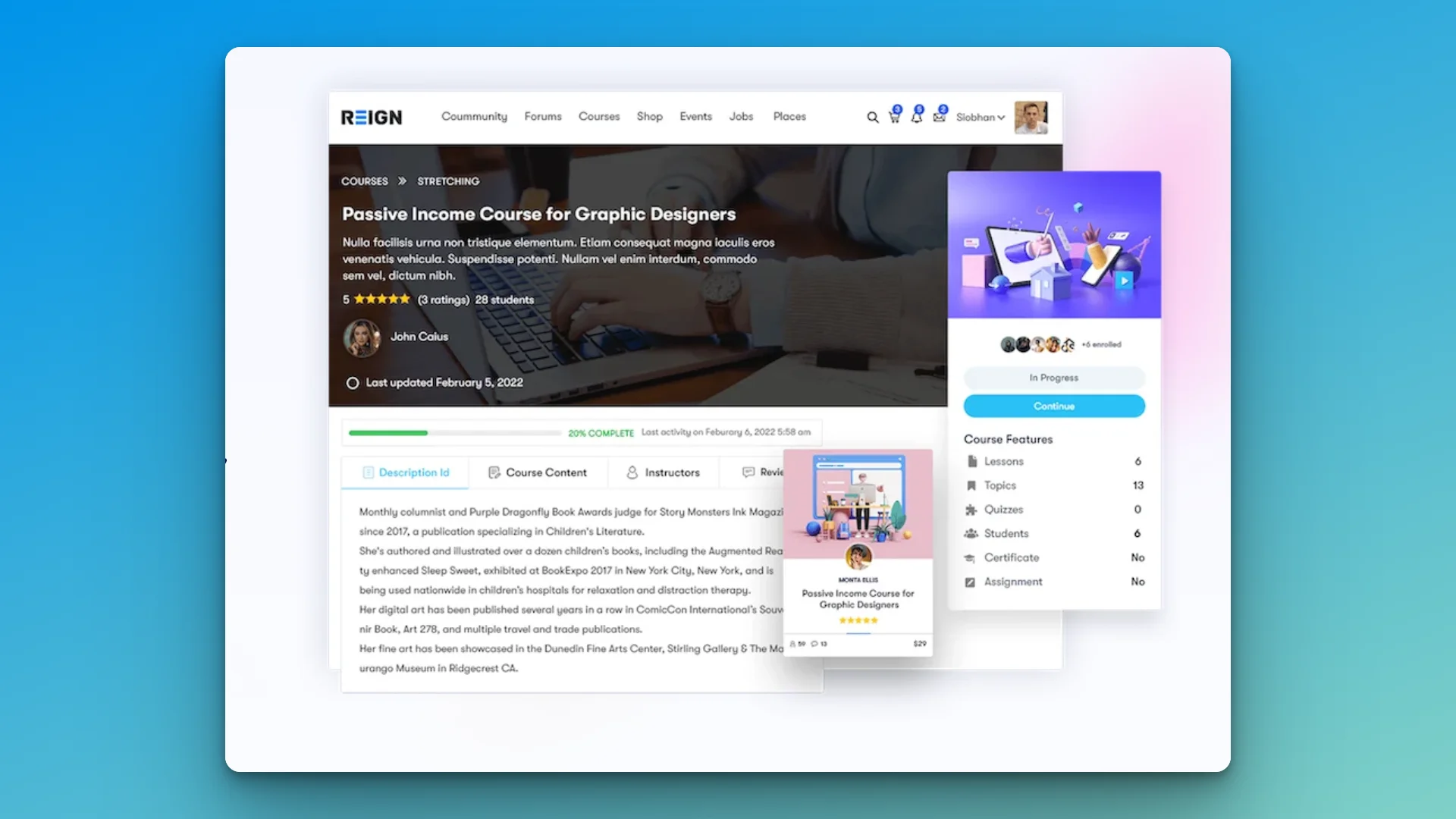 A WordPress course platform built with the Reign theme and LearnDash. Full control over course pages, pricing, and the student experience.
An LMS plugin handles the actual course delivery. LearnDash is the most popular choice. It gives you course builder tools, quizzes, assignments, certificates, drip content (releasing lessons over time), and detailed progress tracking. Tutor LMS and LifterLMS are solid alternatives. All three integrate with WooCommerce for payments.
WooCommerce handles the money. One-time course purchases, subscription access, course bundles, membership tiers. You connect Stripe or PayPal, set your prices, and keep everything minus the standard 2.9% + 30 cents payment processing fee. No platform commissions. No royalty pools. No surprise discounts.
The total cost for this setup runs roughly $300 to $600 per year. That’s less than most Udemy instructors lose in platform commissions on a single moderately successful course.
The Community Advantage
Here’s something neither Skillshare nor Udemy can offer, and it’s the biggest reason course creators eventually move to their own platforms.
Community.
Courses alone are a commodity. There are millions of them. What keeps students engaged, reduces refunds, improves outcomes, and builds long-term loyalty is belonging to something. A group of peers working through the same material. A forum where they can ask questions and get answers. An instructor who shows up as a real person, not just a face on a video.
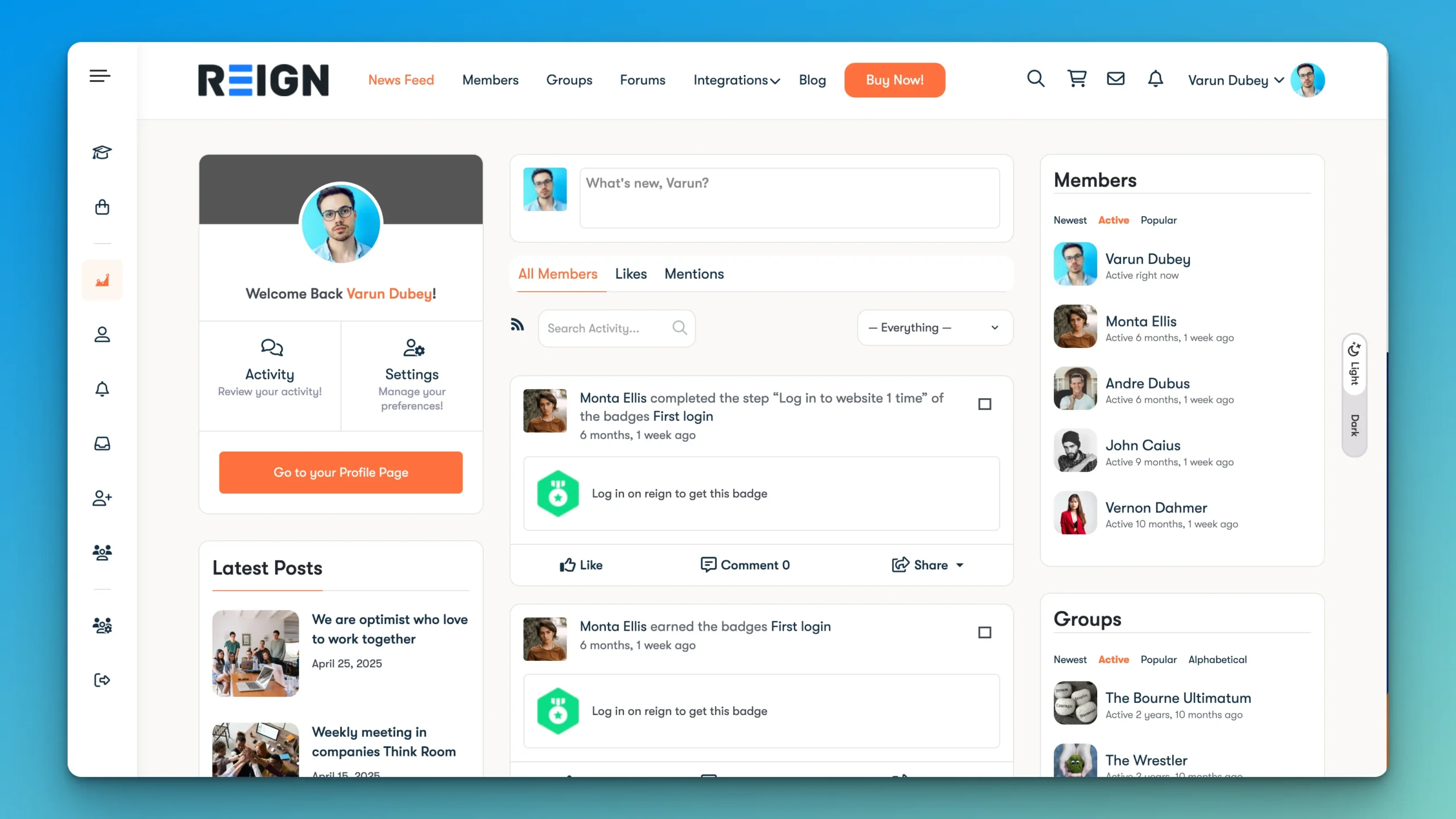 A community dashboard built with the Reign theme and BuddyPress. Students get profiles, activity feeds, groups, and real social interaction around your courses.
On WordPress, you can build this with BuddyPress or BuddyBoss. Students get profiles, activity feeds, private messaging, and group discussions. You can create course-specific groups where students collaborate. You can run live Q&A sessions. You can build a coaching platform where courses are just one part of a larger learning ecosystem.
This is the difference between selling a course and building a business. A course on Udemy is a transaction. A community around your courses is a relationship. Relationships generate recurring revenue, word-of-mouth referrals, and the kind of student loyalty that no marketplace algorithm can replicate.
And once you have that community, you can monetize it in ways that go far beyond course sales. Memberships, coaching, live events, premium content, group programs. The community becomes the product, and courses become the entry point.
The Honest Recommendation
If you’re a student trying to learn something, use whichever platform has the best courses in your subject area. Skillshare for creative skills. Udemy for technical and professional skills. Try both. They’re cheap enough that the decision doesn’t need to be agonizing.
If you’re a creator with your first course, start on Udemy. The built-in audience is genuinely valuable when you have zero students and zero reputation. Use it as your proving ground. Validate your content. Get reviews. Learn what your students actually need.
If you’re a creator with an established following, an email list, or an existing audience on social media or YouTube, skip the platforms entirely. You already have what they charge you for: distribution. Build on WordPress, keep your revenue, own your students, and create the kind of learning experience that a marketplace platform structurally cannot provide.
And if you’re somewhere in between, do both. Publish introductory courses on Udemy or Skillshare to attract new students. Offer your premium, in-depth content on your own WordPress platform. Funnel marketplace students toward your owned platform over time.
The worst strategy is the one most creators default to: putting everything on someone else’s platform and hoping the terms never change.
They always change.
The creators who do well long-term are the ones who treat platforms as marketing channels and their own site as home base. Build the home first or build it eventually. But build it.
Frequently Asked Questions
Is Skillshare or Udemy better for beginners?
Udemy is generally better for beginners because courses are more structured and cover a wider range of topics including technical skills. Skillshare is better specifically for creative skills like design, illustration, and photography, with shorter project-based courses.
How much do Skillshare teachers earn?
Skillshare teachers earn between $0.05 and $0.10 per minute of content watched. Earnings depend on total watch time across all courses. Top creators with many courses and consistent viewership can earn several thousand dollars per month, but most new teachers earn much less.
How much do Udemy instructors earn per course?
Udemy instructors earn 37% of revenue on organic sales (sales driven by Udemy’s marketing) and 97% on instructor-promoted sales. Since most courses sell at $9.99 to $14.99 during frequent sales, per-sale earnings typically range from $3.70 to $14.54 depending on the traffic source.
Can I publish the same course on both Skillshare and Udemy?
Yes. Neither platform requires exclusivity. Many creators publish on both to maximize reach. However, the content style that works on each platform differs. Skillshare favors shorter creative courses while Udemy rewards comprehensive structured content.
What is a WordPress LMS plugin?
An LMS (Learning Management System) plugin turns a WordPress website into a course platform. Popular options include LearnDash, Tutor LMS, and LifterLMS. These plugins handle course creation, student enrollment, progress tracking, quizzes, certificates, and payment integration through WooCommerce.
How much does it cost to build a course platform on WordPress?
A self-hosted WordPress course platform typically costs $300 to $600 per year including hosting ($240 to $480), a premium theme ($60 to $100 one-time), and an LMS plugin ($150 to $200 per year). This is significantly less than the revenue lost to platform commissions on Udemy or Skillshare.
Do I need technical skills to create a WordPress course site?
Basic WordPress familiarity is enough. Modern LMS plugins like LearnDash have visual course builders, and themes like Reign and BuddyX Pro come with built-in LMS integration. You do not need to write code. The learning curve is comparable to setting up a course on Udemy.
Can I add community features to my WordPress course platform?
Yes. BuddyPress and BuddyBoss add social networking features including student profiles, discussion forums, private messaging, groups, and activity feeds. Combined with an LMS plugin, you can create a full learning community where students interact with each other and with instructors.
Should I leave Udemy and Skillshare completely?
Not necessarily. Many successful creators use marketplace platforms for discovery and their own site for premium content. Introductory or older courses on Udemy attract new students who then migrate to the creator’s own platform for advanced material, coaching, or community access.
Which WordPress LMS plugin is best for selling courses?
LearnDash is the most widely used and integrates well with WooCommerce for payments, BuddyPress for community, and popular themes. Tutor LMS offers a strong free version with a modern interface. LifterLMS is good for membership-style course access. The best choice depends on your specific needs and budget.
Interesting Reads
How to Build a Profitable Online Coaching Platform with WordPress
Benefits of Integrating WooCommerce with LearnDash
Types of Online Communities: Complete Guide to Building Digital Spaces
How to Monetize a BuddyPress Community: The Complete WordPress Guide





