


Practical AI Wins for IT Teams: Small Steps, Real Impact
This article explores practical AI wins for IT teams by focusing on small, achievable steps that deliver real impact.
As AI continues to dominate headlines, many IT leaders feel caught between pressure to “do something with AI” and the reality that their teams are already stretched thin. The truth is, most organizations don’t need massive AI overhauls or complex model-building to see value.
Across our work with clients, the biggest gains come from small, focused, practical AI enhancements — the kinds of improvements that reduce friction for IT teams, strengthen service quality, and free up time for higher-value work.
In 2026, the question isn’t “How do we adopt AI everywhere?”
It’s “Where can AI quietly remove inefficiency without overwhelming the team?”
This article highlights realistic AI wins that IT teams can implement without large budgets or major transformation initiatives — and the patterns we’re seeing among organizations that achieve real results.
1. AI-Assisted Ticket Triage and Routing
Most help desks spend a significant amount of time sorting, categorizing, and routing incoming tickets.
It’s repetitive, error-prone, and slows down resolution times.
We’re seeing organizations use lightweight AI tools to:
- analyze ticket descriptions
- assign categories automatically
- detect sentiment
- route requests to the right team without human review
These systems don’t replace analysts — they simply reduce the manual sorting that clogs queues.
Common results we see:
- more consistent categorization
- faster first response
- fewer tickets bounced between teams
- better visibility for leadership
AI doesn’t need to take over the help desk — even simple auto-classification tools can eliminate hundreds of repetitive decisions per week.
<img loading="lazy" decoding="async" width="1024" height="1024" data-skip-lazy="data-skip-lazy" src="https://www.litcom.ca/wp-content/uploads/2025/12/AI-Assisted-Ticket-Triage-and-Routing.png" class="vc_single_image-img attachment-full" alt="practical AI wins for IT teams" title="" srcset="https://www.litcom.ca/wp-content/uploads/2025/12/AI-Assisted-Ticket-Triage-and-Routing.png 1024w, https://www.litcom.ca/wp-content/uploads/2025/12/AI-Assisted-Ticket-Triage-and-Routing-300x300.png 300w, https://www.litcom.ca/wp-content/uploads/2025/12/AI-Assisted-Ticket-Triage-and-Routing-150x150.png 150w, https://www.litcom.ca/wp-content/uploads/2025/12/AI-Assisted-Ticket-Triage-and-Routing-768x768.png 768w, https://www.litcom.ca/wp-content/uploads/2025/12/AI-Assisted-Ticket-Triage-and-Routing-570x570.png 570w, https://www.litcom.ca/wp-content/uploads/2025/12/AI-Assisted-Ticket-Triage-and-Routing-500x500.png 500w, https://www.litcom.ca/wp-content/uploads/2025/12/AI-Assisted-Ticket-Triage-and-Routing-800x800.png 800w" sizes="auto, (max-width: 1024px) 100vw, 1024px" />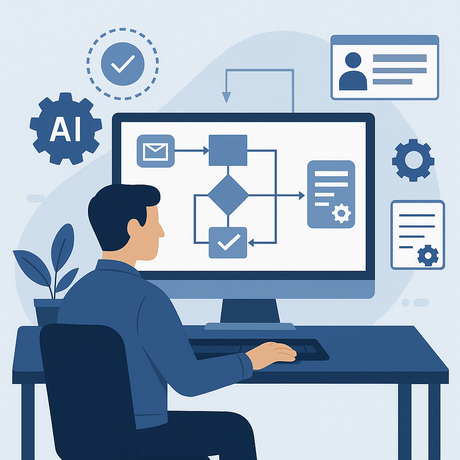
2. AI-Generated Documentation and Knowledge Articles
IT teams know they need better documentation — but writing it is time-consuming and usually deprioritized.
This is where generative AI provides one of the quickest wins.
We’ve seen teams use AI to:
- turn recorded steps from solving an issue into a draft knowledge article
- summarize long email threads into simple explanations
- convert logs into human-readable troubleshooting notes
- rewrite technical instructions for different skill levels
Instead of staring at a blank page, technicians start with an AI-generated draft and refine it.
This shift doesn’t just save time — it improves consistency across the knowledge base and supports faster onboarding of new team members.
<img loading="lazy" decoding="async" width="1536" height="1024" data-skip-lazy="data-skip-lazy" src="https://www.litcom.ca/wp-content/uploads/2025/12/AI-Generated-Documentation-and-Knowledge-Articles.png" class="vc_single_image-img attachment-full" alt="practical AI wins for IT teams" title="" srcset="https://www.litcom.ca/wp-content/uploads/2025/12/AI-Generated-Documentation-and-Knowledge-Articles.png 1536w, https://www.litcom.ca/wp-content/uploads/2025/12/AI-Generated-Documentation-and-Knowledge-Articles-300x200.png 300w, https://www.litcom.ca/wp-content/uploads/2025/12/AI-Generated-Documentation-and-Knowledge-Articles-1024x683.png 1024w, https://www.litcom.ca/wp-content/uploads/2025/12/AI-Generated-Documentation-and-Knowledge-Articles-768x512.png 768w, https://www.litcom.ca/wp-content/uploads/2025/12/AI-Generated-Documentation-and-Knowledge-Articles-500x333.png 500w, https://www.litcom.ca/wp-content/uploads/2025/12/AI-Generated-Documentation-and-Knowledge-Articles-800x533.png 800w, https://www.litcom.ca/wp-content/uploads/2025/12/AI-Generated-Documentation-and-Knowledge-Articles-1280x853.png 1280w" sizes="auto, (max-width: 1536px) 100vw, 1536px" />
3. Auto-Summaries of System Alerts and Logs
Every IT team deals with alert fatigue.
Systems generate thousands of logs and notifications, often with minimal context.
Lightweight AI tools can now:
- condense large logs into short summaries
- highlight anomalies
- group related alerts
- give recommended next steps based on similar historic incidents
We’re seeing system admins use these summaries as first-pass filters, letting them identify actionable issues faster.
One pattern we see often: after automated summarization, teams realize that 60–70% of alerts don’t require action — freeing up time for true incidents.
4. AI-Enhanced IT Asset Management
Keeping track of devices, lifecycle stages, warranties, licenses, and usage patterns is a persistent challenge.
AI can help by automatically:
- tagging assets
- detecting duplicates
- predicting refresh cycles
- identifying underutilized resources
- generating cost-optimization recommendations
We’ve found this especially valuable in organizations with hybrid environments where assets live across multiple tools.
These aren’t glamorous AI use cases — they’re practical ones that reduce operational noise.
5. Automating Routine Communications
IT teams spend surprising amounts of time sending routine updates:
- “We’re looking into this issue.”
- “Your account has been unlocked.”
- “A patch will be deployed tonight.”
- “Your ticket has been reassigned.”
AI tools can draft clean, consistent communications that analysts review and send.
This ensures:
- accuracy
- speed
- tone consistency
- fewer dropped follow-ups
We often see leaders surprised at how much time this frees for their teams.
6. AI-Supported Change Management
Change requests often involve long forms, approvals, and manual analysis.
AI can support this process by:
- summarizing impact details
- checking for missing information
- highlighting risks based on past changes
- suggesting reviewers or approvers
- identifying similar historical changes
This reduces back-and-forth and gets the change into the right workflow faster.
The goal isn’t to automate decision-making — it’s to help people make better decisions with less friction.
7. AI-Assisted IT Planning and Reporting
CIOs and managers spend significant time preparing reports for leadership.
These tasks are important but rarely require deep technical expertise.
We’re seeing teams use AI to:
- condense service desk metrics into narrative form
- summarize monthly incident trends
- highlight unusual patterns
- prepare dashboard-ready text for executives
- extract insights from operational data
Leadership still interprets the information — but AI handles the tedious synthesis.
8. AI for User Support and Self-Service
Virtual agents and chat-based assist tools have matured significantly.
Modern AI can now answer:
- “How do I reset my password?”
- “Where do I find the VPN installer?”
- “How do I bookmark my SharePoint site?”
But the difference in 2026 is that these tools can now:
- connect to documentation
- pull from tickets
- learn from previous interactions
- hand off smoothly to a human
We’re seeing organizations achieve strong results when they treat virtual agents as helpers, not replacements.
<img loading="lazy" decoding="async" width="1536" height="1024" data-skip-lazy="data-skip-lazy" src="https://www.litcom.ca/wp-content/uploads/2025/12/AI-for-User-Support-and-Self-Service.png" class="vc_single_image-img attachment-full" alt="practical AI wins for IT teams" title="" srcset="https://www.litcom.ca/wp-content/uploads/2025/12/AI-for-User-Support-and-Self-Service.png 1536w, https://www.litcom.ca/wp-content/uploads/2025/12/AI-for-User-Support-and-Self-Service-300x200.png 300w, https://www.litcom.ca/wp-content/uploads/2025/12/AI-for-User-Support-and-Self-Service-1024x683.png 1024w, https://www.litcom.ca/wp-content/uploads/2025/12/AI-for-User-Support-and-Self-Service-768x512.png 768w, https://www.litcom.ca/wp-content/uploads/2025/12/AI-for-User-Support-and-Self-Service-500x333.png 500w, https://www.litcom.ca/wp-content/uploads/2025/12/AI-for-User-Support-and-Self-Service-800x533.png 800w, https://www.litcom.ca/wp-content/uploads/2025/12/AI-for-User-Support-and-Self-Service-1280x853.png 1280w" sizes="auto, (max-width: 1536px) 100vw, 1536px" />
9. AI for Compliance, Audit Prep, and Security Hygiene
AI tools can give IT and security teams a head start by automatically:
- detecting missing patches
- analyzing risky configurations
- flagging permission creep
- summarizing audit gaps
- helping generate evidence packages
- monitoring compliance controls
Even a simple AI-generated summary of “Here are the 10 things to fix first” can transform audit readiness processes.
10. AI to Improve Employee Experience
Employee Experience (EX) is becoming a core IT priority.
Practical AI helps teams reduce friction by:
- analyzing common UX pain points
- predicting what users might need next
- suggesting improvements to self-service portals
- spotting where onboarding workflows break
- helping personalize support
We’ve seen organizations improve satisfaction simply by allowing AI to surface patterns that were previously hidden in ticket data.
The Real Story: Practical AI Wins for IT Teams
Across all these examples, one theme keeps emerging:
AI doesn’t need to be revolutionary to be valuable.
The biggest wins are the boring ones — the tiny efficiencies that add up across hundreds of daily interactions.
In our experience, the organizations that succeed with AI:
- start small
- focus on clear pain points
- involve the team early
- avoid overengineering
- measure impact
- iterate gradually
It’s not about chasing hype — it’s about improving the work IT teams do every day.
Industry research consistently shows that demand for skilled IT talent and applied AI capabilities continues to outpace supply, reinforcing the need for practical, low-risk AI adoption strategies.
Litcom’s Perspective
Across our client work, we’re seeing the strongest results from organizations that focus on practical, achievable AI use cases rather than complex, multi-year initiatives.
The most successful IT leaders take a grounded approach:
- identify routine tasks that drain time,
- introduce small AI enhancements,
- build trust with early wins,
- and scale only when the team is ready.
This approach reduces risk, improves adoption, and positions IT as both innovative and responsible.
In many engagements, we help teams benchmark what’s realistic, evaluate tools, and build simple workflows that deliver value quickly — without overwhelming the organization.
AI doesn’t have to transform everything at once.
Sometimes the most meaningful transformation starts with removing friction from the work people are already doing.
If you’re exploring where practical AI could simplify your IT operations, we’re always open to sharing what we’re seeing across organizations and helping you think through realistic next steps.
<img loading="lazy" decoding="async" width="300" height="300" data-skip-lazy="data-skip-lazy" src="https://www.litcom.ca/wp-content/uploads/2025/11/ChatGPT-Image-Nov-17-2025-06_35_25-PM-300x300.png" class="vc_single_image-img attachment-medium" alt="" title="" srcset="https://www.litcom.ca/wp-content/uploads/2025/11/ChatGPT-Image-Nov-17-2025-06_35_25-PM-300x300.png 300w, https://www.litcom.ca/wp-content/uploads/2025/11/ChatGPT-Image-Nov-17-2025-06_35_25-PM-150x150.png 150w, https://www.litcom.ca/wp-content/uploads/2025/11/ChatGPT-Image-Nov-17-2025-06_35_25-PM-768x768.png 768w, https://www.litcom.ca/wp-content/uploads/2025/11/ChatGPT-Image-Nov-17-2025-06_35_25-PM-570x570.png 570w, https://www.litcom.ca/wp-content/uploads/2025/11/ChatGPT-Image-Nov-17-2025-06_35_25-PM-500x500.png 500w, https://www.litcom.ca/wp-content/uploads/2025/11/ChatGPT-Image-Nov-17-2025-06_35_25-PM-800x800.png 800w, https://www.litcom.ca/wp-content/uploads/2025/11/ChatGPT-Image-Nov-17-2025-06_35_25-PM.png 1024w" sizes="auto, (max-width: 300px) 100vw, 300px" />
AI Readiness Checklist for CIOs (2026)
Prepare your organization for responsible, secure, and effective AI adoption with this simple 1-page checklist covering strategy, data, governance, and technology foundations.
GET THE CHECKLIST




