


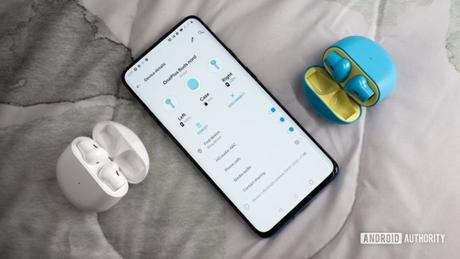
- OnePlus forces the OnePlus Buds app to be installed on its phones.
- Users have flooded their Play Store list with negative comments and one-star ratings.
- It seems like it's a stub app that OnePlus is just activating.
OnePlus is being berated by users for installing the dedicated OnePlus Buds app on existing phones. We got a tip on this from one Android Authority Reader named Segio who uses a OnePlus 6 and has mysteriously found the OnePlus Buds app downloaded on his phone.
Just like with Segio, many other OnePlus users have noticed the unauthorized installation of the OnePlus Buds app. Most of these users do not own a pair of the company's true wireless earbuds.
The OnePlus Buds app is designed to help users download firmware updates and tinker with the bud settings. Users can also track their OnePlus Buds with the app in case they are ever misplaced. Currently, the app can only be downloaded on OnePlus phones. It doesn't matter, however, as OnePlus will force the app to be installed on existing devices.
also read: OnePlus interview: behind the scenes with the controversial Oxygen OS 11 update
Disgruntled OnePlus users bombard the app in the Google Play Store with one-star ratings and negative comments. "Listen to your users. Don't force an app to be installed if we don't want to buy the hardware, "wrote one angry user. There are also several complaints that the app cannot be uninstalled.
For what it's worth, this isn't a truly unprecedented situation. Google did the same for its Pixel Buds app when it launched earlier this year. Some Pixel 4 and Pixel 3 users found the app preinstalled on their phones without their knowledge and then bombarded it with one-star ratings. It happened to be a stub app that was pre-added to Google's firmware. When it finally went live on the Play Store, it was simply activated on the Pixel phones where the software was updated.
This seems to be the same reason the OnePlus Buds app is showing up on existing phones. OnePlus recently added support for the OnePlus Buds system app on phones like OnePlus 7, OnePlus 7T, OnePlus 6, OnePlus 6T, and others.
also read: OnePlus 8 Buying Guide: Everything You Need To Know







