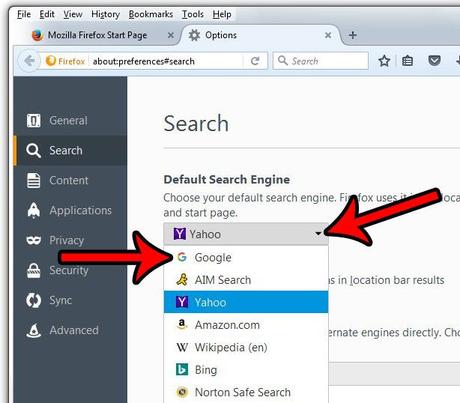
If you do a lot of searches and have tried more search engines than you can remember, then it's highly likely that you have a preferred search engine.
So when you search from the address bar and it opens with a search engine you don't like, you probably want to fix it.
Our tutorial below will show you how to change the default Firefox search engine settings.
Firefox by Mozilla - set default search engine
- Open Firefox.
- Press the menu button.
- Select "Settings".
- Select Search.
- Click Default search engine.
- Choose your preferred option.
Our guide continues below with more information about this process of changing the Firefox search engine, including images of these steps.
A long time ago, you had to go directly to a search engine to search for something.
However, modern browsers allow you to search the web from any page by simply typing your search term into the address bar at the top of the window.
The search engine that is used for these types of searches is the default search engine, and if you've never changed this setting in Firefox, then it's very likely that Yahoo is currently your default search engine.
Everyone has their own search engine preferences and you may prefer to use Google instead of Yahoo.
Luckily, this is something you can do in Firefox. So, keep reading below to find out how you can set Google as your default search engine in Firefox.
Related topic: Want to open a link in a specific browser? Find out how with this guide.
New Method - How to Switch Default Search Engines in Firefox (Guide with Pictures)
The steps in this section will show you how to change your current default search engine to another one.
Step 1: Launch Firefox.
Step 2: Click on the three horizontal lines in the top right corner of the window.
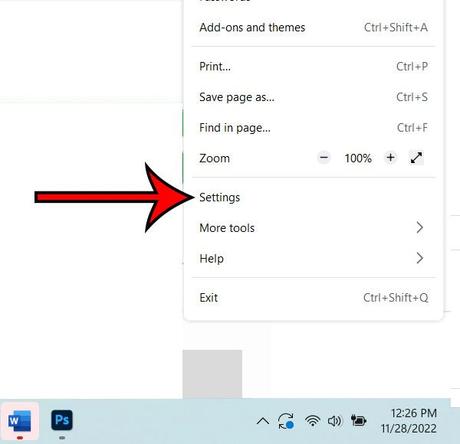
Step 3: Select the "Settings" option.
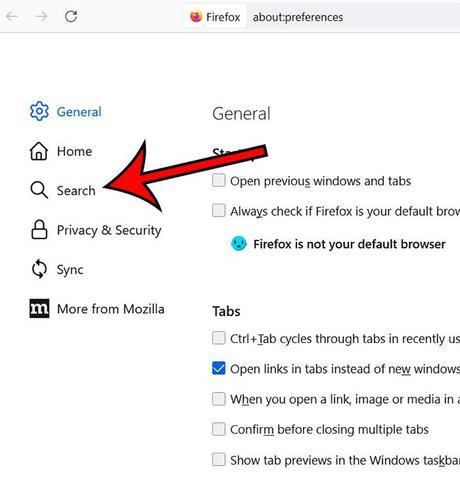
Step 4: Go to the Search tab.
Step 5: Select the default search engine dropdown and choose the one you want.
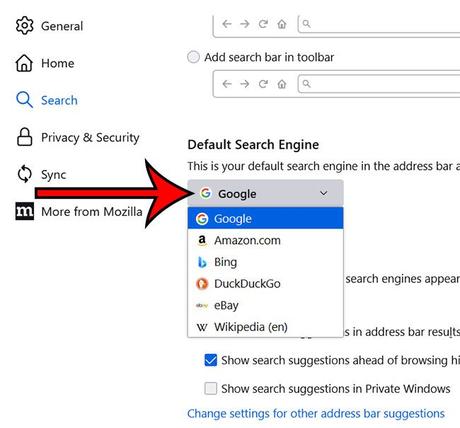
Note that the default search engines listed in the default search engine section are:
You can continue reading below for more information on setting the default Firefox search engine.
The Old Method - How to Use Google When Searching in Firefox (Picture Guide)
The steps in this article were performed on Windows 7 with the most recent version of Firefox available at the time of this writing.
This change will apply to both searches performed in the address bar and searches performed in the search box.
Step 1: Open Firefox.
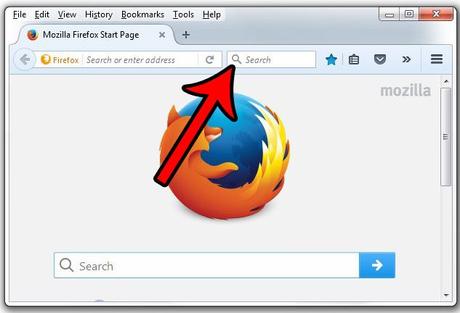
Step 2: Click on the magnifying glass in the search bar at the top of the window.
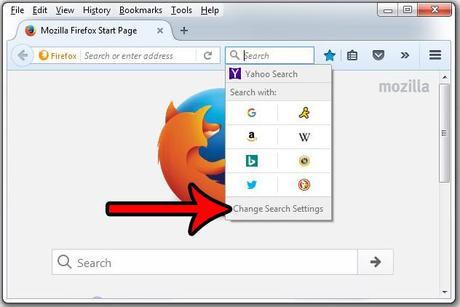
Step 3: Click "Change Search Settings".
Step 4: Click the drop-down menu under Default Search Engine, then click Google from the list of options.
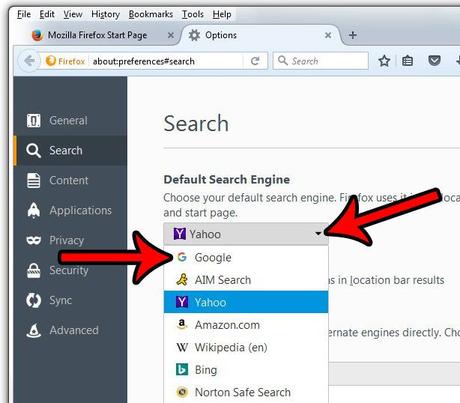
You can then close the Options tab in Firefox. You do not need to save this setting as it will be applied automatically.
This will not affect the default search engine used in other browsers on your computer such as Chrome, Edge, or Internet Explorer.
If you want to use a search engine other than Google (or whatever option you just chose as default), you can still go directly to that search engine's web address. For example, www.yahoo.com.
There is also a way to add search engines to Firefox if you don't see the one you want to use in the default search engine section. This is useful if you prefer to use the lesser known custom search engine.
Just scroll down the "Search" menu and click on the "Find other search engines" link.
You can then enter the name of the desired search engine in the box at the top of the window and select the one you would like to use for future searches you perform in Firefox.
Do you also use the Firefox browser on your iPhone? Learn how to set your default search engine in Firefox for iPhone if you prefer to use Google there too.
You may also like
Руководства
#Google #default #search #engine #Firefox