


Super Wallpapers, hands down, is one of the best features of MIUI 12. 3D interactive live wallpapers of Earth, Mars and Saturn are just too hard to ignore.
However, we didn't know much, there is another set of Xiaomi 'Nebula' live wallpapers which are just as beautiful as Super Wallpapers.
The latest wallpaper is available for MIUI 12 China ROM users. However, just like Super Wallpaper, Dynamic Nebula wallpapers can be installed on any Xiaomi global device. They can even be installed on MIUI 11 devices.
How to get MIUI 12 Nebula dynamic wallpapers -
- Download the MIUI 12 Nebula wallpaper on here
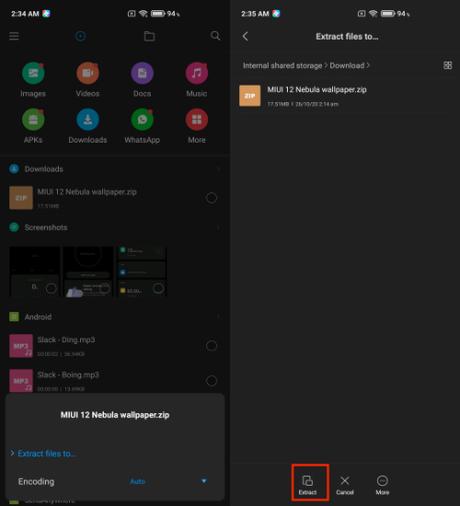
- Open the file manager and extract the zip file to the desired location
- Go to the Themes app and tap "My Page" in the lower right corner
- Tap Wallpapers> My Live Wallpapers, and tap the + icon
- Locate the extracted folder, choose one of the three wallpapers and press OK.
- Select the wallpaper and press apply
- Follow the same steps to add the other two wallpapers to the My Live Wallpaper section
As always, you can set MIUI 12 Nebula wallpaper as a lock screen, home screen, or both.
Unlike Super Wallpaper, which is only officially supported by a handful of Xiaomi devices, this wallpaper can be installed on almost any Xiaomi device.
The post How to get MIUI 12 Dynamic Nebula wallpapers on any Xiaomi device? first appeared on Fossbytes.






