Often we think that the Wi-Fi signal is weakening due to the thickness of the walls. But rest assured, it is possible to increase the signal of the latter, using simple and economical means. Your connection will be even faster!
Have you ever had your Wi-Fi signal fail? For this, no need to change router. Indeed, there are simple ways to improve the signal quality of the latter.
Without considering changing routers, it is possible to improve your Wi-Fi signal. And for good reason, some tips will improve your connectivity.
Another Wi-Fi problem. Source: spm
1. Place Wi-Fi in the central room of the house
To receive a better signal, the router will need to be ideally placed for better connectivity. It is therefore advised to place it in one of the central rooms of the house, namely, the living room. For good reason, walls slow down the Wi-Fi signal.
2.Put the Wifi router in as open a place as possible
Indeed, it is also recommended to place the Wi-Fi in a place as clear as possible and preferably, in height. On the other hand, placing the router close to the ground, between books or on a TV cabinet, significantly reduces the signal strength.
3. Move Wi-Fi away from other wireless equipment
To enjoy a better connection and exploit all the maximum capacities of Wi-Fi, it is advised to leave two meters between the router Wi–Fi and other equipment wireless, in particular, the fixed telephone, the microwave or the baby monitor. In this way, you will avoid interference while taking full advantage of the router’s capabilities.
4. Use a Wi-Fi repeater
If your Internet connection is weak, especially in rooms located far from the router, it is recommended to use a Wi-Fi repeater to improve coverage. For the latter to work best, place it halfway between the router and the area where you want to enjoy the connection. If the repeater is too far away, the signal will consequently be too weak. If you want better coverage, you can always connect the extender to the router, using a long distance Ethernet cable.
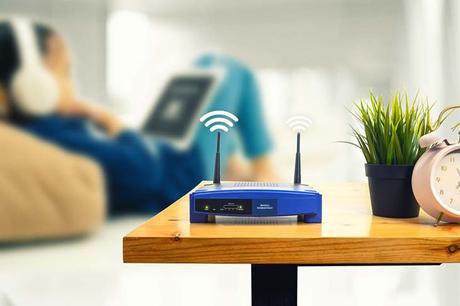
Wi-Fi router. Source: spm
5. Choose 5 GHz Wi-Fi
If your router supports 5 GHz frequency, it is recommended to select it to operate the latter. Because, the frequency 2.4 GHz is used by many equipment and devices such as Bluetooth and the microwave which may interfere with the signals. In this case, see to configure the router by choosing the frequency of 5 GHz. In addition, the new models have the Band steering option, supporting both frequencies simultaneously, 2.4 GHz and 5 GHz.
6. If you change your PC, check that it is Wi-Fi 6 or Wi-Fi 6E compatible
For better connectivity, it is better to adopt for a computer compatible with the Wi-Fi 6 or Wi-Fi 6E standard. These standards are superior to Wi–fi 5. In addition, this frequency is backward compatible with all older Wi-Fi standards.
Having a weak Wi-Fi signal is not a fatality. A few smart tips and tricks will help you increase your network coverage considerably.
Read also The trick to multiply by 3 the speed of Wifi at home: no more slow internet
Via SPM