


Due to the Central Bank of Nigeria's mandate on November 30th 2020 that all remittances must be paid out in USD, Sendwave have had to make some changes to how you're able to send money to Nigeria.
While sending to Naira accounts is no longer possible, you can still send to your loved ones affordably, securely, and quickly via USD cash pickup or directly to their domiciliary accounts!
Sendwave Banks In Nigeria
Your recipients will be able to pick up their cash at any Access, Fidelity, Zenith or GTB Bank. All they need is the voucher code we send them, their BVN, a valid form of identification, and their mobile phone. No need to have an account with any of the banks to collect funds 🙂
You can send to domiciliary accounts at Access, GTB, UBA, and First Bank. The funds will be directly deposited into their account.

How It Works

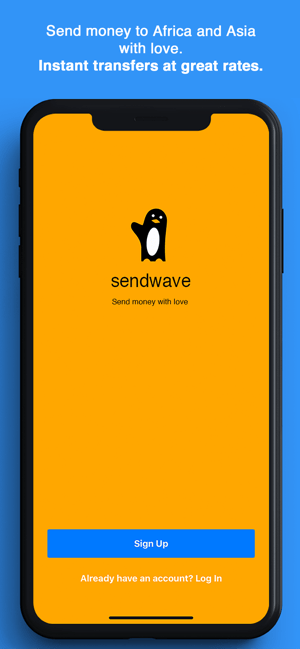
Sending via USD Cash Pickup
For Senders:
- Upgrade your app - Visit the Apple App Store or Google Play Store and download the latest version of Sendwave.
- Add a new Nigerian recipient - Make sure you select 'Cash Pickup' and that you enter your recipient's legal name and correct mobile phone number. They'll need to show official identification so be sure the name matches. We'll communicate with them via SMS so be sure their number is correct!
- Enter the amount you want to send or your recipient to receive - Click Send! This part has not changed.
- Confirm your transaction - Review the details, then enter your password to confirm the transaction.
- Let your recipient know that funds are on their way - As soon as you confirm the transaction, we'll send you and your recipient two SMS. One with the voucher code, the other with a one time password for the transaction. They'll need to take both these codes to any Access, Zenith, Fidelity or GTB Bank to pickup the cash. They do not need to have an account with any of the banks to collect funds.
For Recipients:
- Receive two SMS from Sendwave - The first SMS will contain a unique voucher code. The second SMS will contain a one time password for the transfer.
- Go to any Access, Zenith, or Fidelity Bank - You can find a list of all the Access branches here, the nearest Zenith branches here, the nearest Fidelity branches here, and the nearest GTB branches here. Make sure you take your mobile phone (the one where you received the two codes) with you. You do not need to have an account with any of the banks to collect funds.
- Give the teller the voucher code & password - You'll need to verify your identity.
- At Access Bank, acceptable forms of IDs are: International Passport (Nigerian or other); Driver's License; National ID. Card; INEC Registration Card; or Bank Verification Number (BVN).
- At Zenith Bank, recipients will need their BVN as well as either an International Passport (Nigerian or other); Driver's License; National ID Card; or PVC.
- At Fidelity Bank, recipients will need their BVN, National ID, Driver's License with a photo, or INEC Permanent Voter's Card with address.
- At GTB, recipients will need their BVN as well as their International Passport, Driver's License, or National ID Card.
- Collect your funds - That's it! Let your sender know you've picked up the funds 🙂
Sending via Domiciliary Accounts:
For Existing Domiciliary Accounts:
- Add a New Recipient - be sure your app is updated to version 04.07.02 or later
- Select USD Bank Account - if you do not see this option, check your app version to make sure it's fully updated
- Enter Your Recipient's Information - include their full name, select the appropriate bank, and enter their domiciliary account number.
- Send like Normal- enter the amount you want to send and click send 🙂
For Auto-Generated Domiciliary Accounts:
- Add a New Recipient - be sure your app is updated to version 04.07.02 or later
- Select Naira Bank Account - if you do not see this option, check your app version to make sure it's fully updated
- Enter Your Recipient's Information - include their full name, select the appropriate bank, and enter their Naira account number.
- Send like Normal - Enter the amount you want to send and click send. The recipient bank will automatically create a domiciliary account for your loved one and deposit the funds 🙂
Note: The funds can be picked up at any Access, Zenith, Fidelity or GTB Bank branch. The nearest branches can be found here:
Access Bank
Zenith Bank
Fidelity Bank
GTB Bank
How Do I Contact Sendwave
If you need help, we're here for you - Call us 24/7 at:
+1 888 966 8603 (US)
+44 113 320 7935 (UK)
+39 02 3057 8468 (IT)
+353 1800 949 226 (IRL)
+34 900 998 284 (ES)
The writer is Alamu Tosin. I have three strong passions in life - football, blogging and movies - in that order. I love spending time with friends talking about the important things in life and hate nothing more than 'authority' and hypocrisy. My personal believe in life is that once an individual sets his/her mind to achieve something, it is totally possible. And oh!, I am a strong Lannister, because I always pay my debt. For writing or fixing gigs, contact [email protected].






