Netflix is a big company that has become synonymous with video streaming.
You can create a Netlfix account and use it on all types of devices such as iPhone or Android smartphone, gaming consoles such as Xbox or Playstation, as well as computers, TVs, streaming devices, etc.
If you have been thinking about purchasing Netlfix and have questions, you can continue reading below.
Although originally started as a DVD-by-mail rental service, Netflix has skyrocketed in popularity thanks to the video streaming service they provide. Netflix has a huge library of TV shows, movies, and documentaries that you can watch on your TV, mobile device, or computer.
If you are curious about the Netflix streaming service, I highly recommend you sign up for a free trial so you can see what it's all about. If you have a valid Netflix account, you can simply sign in, click on a streaming video, and start watching it.
It really is that simple, and it's a great addition to your home entertainment system. In addition, Netflix is an almost mandatory service for anyone who wants to save money by cutting the cable cord.
But if you want to know more about the Netflix streaming service, such as what you need to watch on different devices, how much it costs, and how many devices you can watch it on at the same time, keep reading below.
SolveYourTech.com is a member of the Amazon Services LLC Affiliate Program, an affiliate advertising program designed to provide sites with the means to earn advertising fees through ads and links to Amazon.com.
What do I need to stream Netflix?
Netflix streaming is a completely internet service, so the most important thing you need to stream Netflix is an internet service in your home.
However, video streaming requires a lot of bandwidth, so you will need broadband internet access such as DSL, cable, or fiber.
If you have a dial-up or satellite Internet connection, you may not be able to use the streaming services provided by Netflix.
If you're concerned about the reliability of your internet connection, sign up for a Netflix trial and try streaming a movie on your computer.
This will let you see if your current installation supports video streaming. Note that you can stream Netflix over a cellular data connection, but this can use up a huge amount of your cellular plan's monthly data and is generally not recommended.
Once you have determined that you have a strong enough internet connection to stream Netflix, you will need a device to watch your videos.
You can watch it in a web browser on your computer (Internet Explorer, Firefox, Google Chrome, Safari, etc.), on your mobile device via the Netflix app (iPhone, iPad, Android, Kindle Fire, etc.), or to your TV using the device like Roku (link to Amazon) Google Chromecast (link to Amazon) or Apple TV (Link to Amazon).
Some smart TVs also have built-in Netflix apps with which you can also watch Netflix.
How Much Does Netflix Streaming Cost?
The cost of Netlfix can vary greatly depending on how many devices you want to use at the same time and the quality of video streaming you would like to use.
For example, if you have a 4K TV and want to take advantage of that display's resolution, you should go with Netlfix's 4K option, which costs a little more than the cheapest default option.
You can find out more about Netflix pricing here..
How many devices can I stream on at the same time?
The default streaming option will allow you to stream Netflix to two devices at the same time from the same account.
You can upgrade your plan to watch on up to four devices at the same time with one account. Please note that the more devices you want to stream at the same time, the more expensive your data plan will be.
You can install Netflix on more than four devices. This number is the maximum number of streams that can be played simultaneously.
If you are currently streaming to the maximum number of dedicated devices, Netflix will display a warning that you cannot stream to an additional device because the account is currently streaming to the maximum number of devices.
An example of how to stream a Netflix movie on iPhone
There is a Netflix app for iPhone that you can download from the App Store on the device.
You can read more about finding and installing apps from the App Store here. You can then open the app and sign in with the email address and password associated with your Netflix account.
The steps below will provide you with an example of how you would stream a Netflix movie on your iPhone.
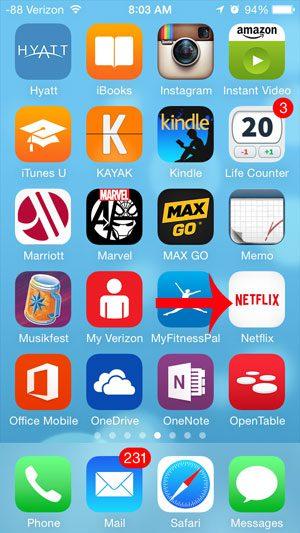
Step 1: Launch the Netflix app.
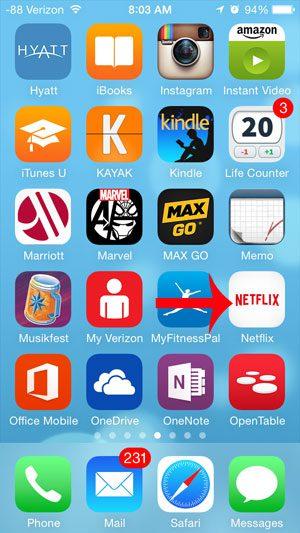
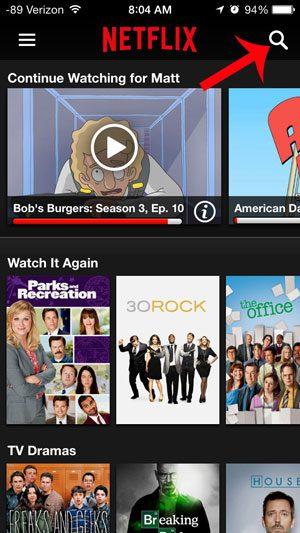
Step 2: Scroll down and find a movie, TV show, or documentary to watch, or tap the Search icon in the top right corner of the screen to enter a search term.
Step 3: Click the "Play" button on the video you want to watch.
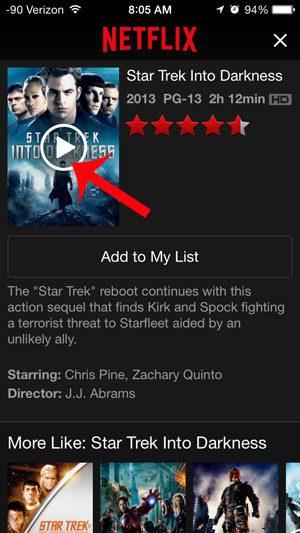
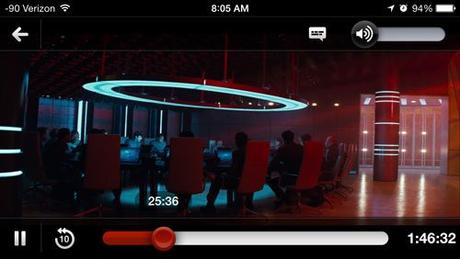
Step 4: The video will start streaming and playing on the device.
You can touch the screen to bring up a menu that allows you to control video playback.
If you have been thinking about subscribing to Netflix, then I highly recommend it.
Personally, I watch Netflix a lot and get incredible value for the cost of my monthly subscription.
The Netflix streaming library has an impressive selection of movies and TV shows, and you'll almost certainly find plenty of options to watch.
If you have Netflix and watch it on your Fire Stick, you can read this article to learn how to turn off autoplay preview.
You may also like
Руководства
#Netflix #streaming #work