


Getting Started in Phaser 3 (ES6) - Create a Boomdots game part 2
Welcome to the second part of getting started in phaser 3. We are trying to create a clone of the famous Boomdots game in phaser 3 in ES6.
In the previous part, we completed the development setup and added a scrolling bg. In this post, we are going to add the rocket and the alien, set the collisions and add some particle effects to make it look better.
Add rocket
Add the rocket.png into the assets folder.

Load the image in the preloader.
preload () {
    ...
    this.load.image('rocket', 'assets/rocket.png')
}
In game.js create the rocket game object like this.
create () {
    ...
    this.rocket = this.add.sprite(0, 160, 'rocket')
}
Add alien
Let us add the alien into the scene similar to how we added the rocket.

preloader.js
preload () {
    ...
    this.load.image('rocket', 'assets/alien.png')
}
game.js
create () {
    ...
    this.alien = this.add.sprite(0, -150, 'alien')
}
Remember, our game center position is 0,0, so we need a negative value for the alien to display above the mid position.
If we open up our browser, we can see the alien in the scene.
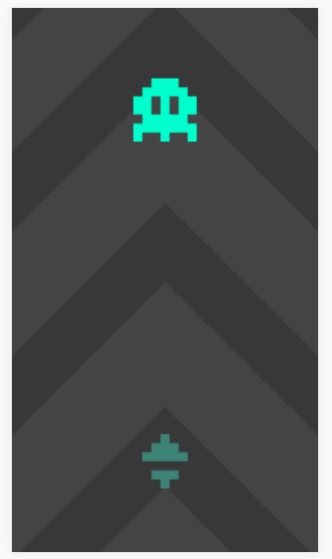
Creating and animating the alien
Now, change the alien starting position from -150 to -300. And call a resetAlien method which we are going to create.
this.alien = this.add.sprite(0, -300, 'alien')
this.resetAlien()
The resetAlien method,
resetAlien () {
    this.canUpdateAlien = true
    this.alien.x = 0
    this.alien.y = -300
}
We can call this resetAlien method whenever the user hits it. Ok, we will go through that later. To animate the alien, create a method called moveAlien with arguments time and delta.
constructor () {
    ...
    this.alienTargetY = 0
    this.canUpdateAlien = false
}
...
update (time, delta) {
    this.scrollingBg.tilePositionY -= 1
    if (this.canUpdateAlien) {
    	this.moveAlien(time, delta)
    }
}
moveAlien (time, delta) {
    // Moves the alien down to this.alienTargetY position
    this.alien.y += (this.alienTargetY - this.alien.y) * 0.3

    // Moves the horizontal position back and forth
    // Multiplying the time to reduce the movement speed
    // 80 is the maximum horizontal amount to move
    this.alien.x = Math.sin(time * 0.005) * 80
}
Let's check how it appears.
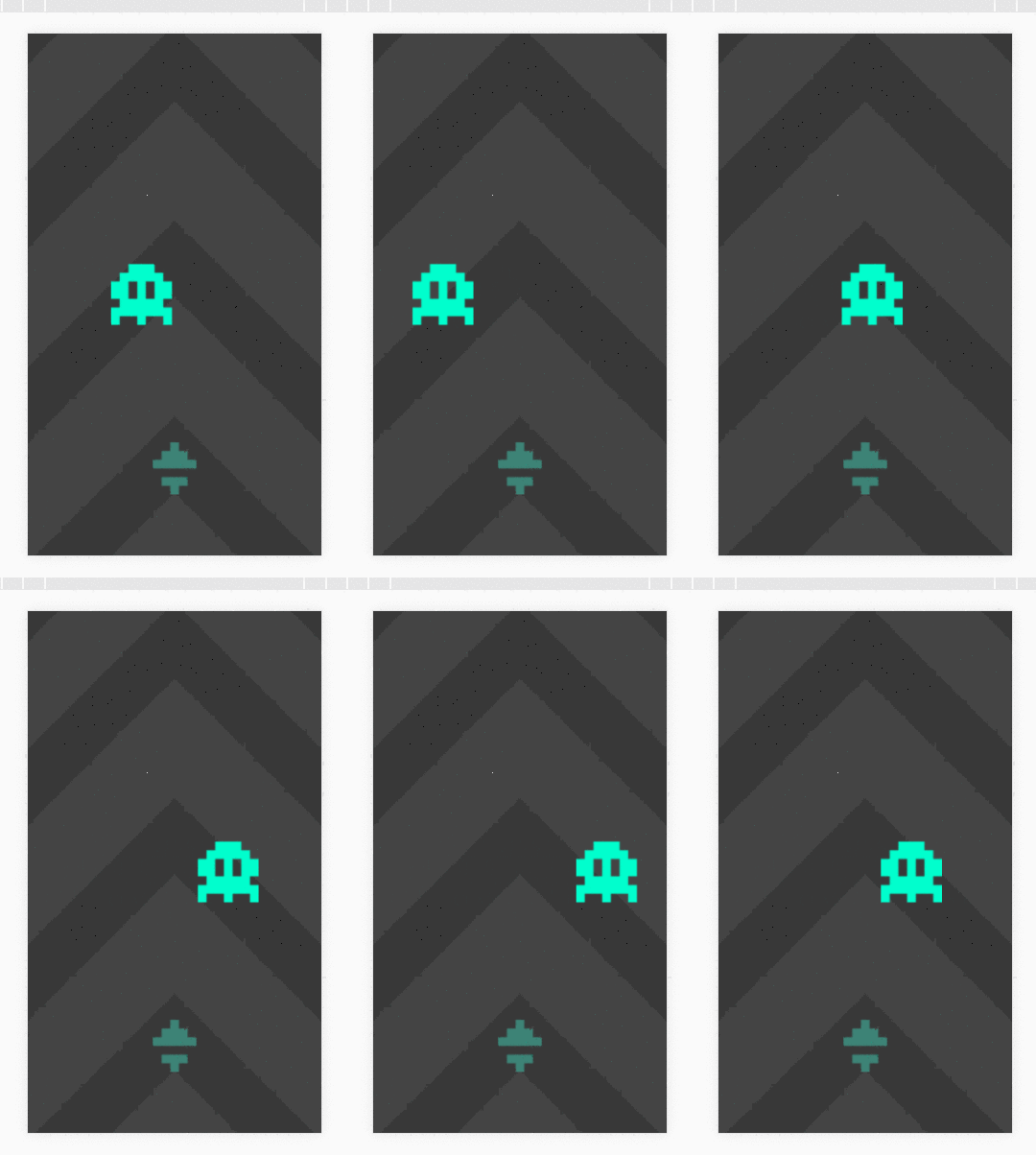
Move rocket
In the create method, listen for the pointerdown event and move the rocket upwards and collide it with the alien.
constructor () {
    super({
        key: 'game',
        physics: {
            default: 'arcade',
            arcade: {
            	debug: true,
            	// gravity: 0 //We don't need gravity for this game
        	}
        }
    })
    ...
}
create () {
    ...
    //Enable physics on rocket and alien sprites
    this.physics.world.enable([this.rocket, this.alien])

    //Reset alien so it will spawn from the top and start moving
    this.resetAlien()

    //Listen for pointerdown event and launch the rocket
    this.input.on('pointerdown', this.launchRocket, this)
}
update (time, delta) {
    ...
    //Listen for overlapping between rocket and alien and call rocketCollidedWithAlien when an overlap occurs
    if (this.canUpdateAlien) {
    this.moveAlien(time, delta)
       	this.physics.add.overlap(this.rocket, this.alien, this.rocketCollidedWithAlien, null, this)
    }
}
...
launchRocket () {
    //Launching means decrease the y velocity
    this.rocket.body.setVelocity(0, -3000)
}
rocketCollidedWithAlien (rocket, alien) {
    //Stop updating alien movement
    this.canUpdateAlien = false

    //Stop moving the rocket
    this.rocket.body.setVelocity(0)

    //Move the alien out of our screen for now
    this.alien.y = -300
}
...
shutdown () {
    this.input.off('pointerdown', this.launchRocket, this)
}
Add collision particles
First, we need to load the particle sprite in preloader.js
this.load.image('particle', 'assets/squareparticle.png')
Create the particle manager and an emitter. We are also going to add a camera shake.
constructor () {
    ...
    this.particles = null
    this.emitter = null
}
...
create () {
    ...
    this.particles = this.add.particles('particle')
    this.emitter = this.particles.createEmitter({
        angle: { min: 0, max: 360 },
        speed: { min: 50, max: 200 },
        quantity: { min: 40, max: 50 },
        lifespan: { min: 200, max: 500},
        alpha: { start: 1, end: 0 },
        scale: { min: 0.5, max: 0.5 },
        rotate: { start: 0, end: 360 },
        gravityY: 800,
        on: false
    })
}
...
rocketCollidedWithAlien (rocket, alien) {
    if (!this.canUpdateAlien) { //Overlap runs multiple frames, we only want it to run once
    return
    }
    this.canUpdateAlien = false
    this.rocket.body.setVelocity(0)
    this.particles.emitParticleAt(this.alien.x, this.alien.y)
    this.alien.y = -300
    this.cameras.main.shake(100, 0.01, 0.01) //Duration, intensity, force
}
After hitting the alien, we need to reset the rocket back to the original position. We also need to scroll the bg a little.
constructor () {
    ...
    this.isRocketResetting = false
}
update (time, delta) {
    if (this.canUpdateAlien) {
    	this.moveAlien(time, delta)
    	this.physics.add.overlap(this.rocket, this.alien, this.rocketCollidedWithAlien, null, this)
    }
    if (this.isRocketResetting) {
    	//Scroll the bg
        this.scrollingBg.tilePositionY -= delta

        //Move rocket down
        this.rocket.y += delta
        if (this.rocket.y >= 160) {
            this.rocket.y = 160
            this.isRocketResetting = false

            //After movement reset alien so the next alien comes
            this.resetAlien()
        }
    }
}
resetAlien () {
    this.canUpdateAlien = true
    this.alien.x = 0
    this.alien.y = -300
    this.alienTargetY = phaser.Math.Between(-200, 0)
}
rocketCollidedWithAlien (rocket, alien) {
    if (!this.canUpdateAlien) {
    	return
    }
    this.canUpdateAlien = false
    this.rocket.body.setVelocity(0)
    this.particles.emitParticleAt(this.alien.x, this.alien.y)
    this.alien.y = -300
    this.cameras.main.shake(100, 0.01, 0.01)
    this.time.delayedCall(200, this.resetRocket, [], this)
}

resetRocket () {
    this.isRocketResetting = true
}
Let us place some triangle spikes on top and the bottom end of the screen.
Phaser 3 has various built-in position align helpers. We can use the camera rectangle and align the spikes to the top and bottom of that rectangle. But there is a problem in that, we are using the camera zoom. So for the correct dimensions, we need to divide the camera dimensions by the camera zoom amount. Like this.
constructor () {
    ...
    this.topSpikes = null
    this.bottomSpikes = null
    this.cameraRect = null
}
...
create () {
    this.topSpikes = this.add.sprite(0, 0, 'spike')
    this.topSpikes.setOrigin(0.5, 0)
    this.bottomSpikes = this.add.sprite(0, 0, 'spike')
    this.bottomSpikes.setOrigin(0, 1)
    this.bottomSpikes.flipY = true
    this.cameraRect = this.add.zone(0, 0, 0, 0)
    ...
    this.physics.world.enable([this.rocket, this.alien, this.topSpikes])
    this.topSpikes.body.immovable = true
}
...
update (time, delta) {
    ...
    if (!this.isGameOver) {
    	this.physics.add.overlap(this.rocket, this.topSpikes, this.rocketCollidedWithSpike, null, this)
    }
    ...
}
resize () {
    ...
    this.cameraRect.x = cam.x
    this.cameraRect.y = cam.y
    this.cameraRect.width = cam.width/cam.zoom
    this.cameraRect.height = cam.height/cam.zoom

    phaser.Display.Align.In.TopCenter(this.topSpikes, this.cameraRect)
    phaser.Display.Align.In.BottomCenter(this.bottomSpikes, this.cameraRect)
}
...
rocketCollidedWithSpike (rocket, spike) {
    if (this.isGameOver) {
    	return
    }
    this.canUpdateAlien = false
    this.isGameOver = true
    this.rocket.body.setVelocity(0)
    this.particles.emitParticleAt(this.rocket.x, this.rocket.y-this.rocket.height)
    this.cameras.main.shake(100, 0.01, 0.01)
    this.alien.destroy()
    this.rocket.destroy()
}
...
That's it. The core game is complete. There are only small things remaining like scoring and gameover scenes that you can manage yourself.
The complete code for preloader.js
import { Scene } from 'phaser'

export class Preloader extends Scene{
    constructor(){
        super({
            key: 'preloader'
        })
    }

    preload () {
        this.load.image('bg-static', 'assets/square.png')
        this.load.image('bg-overlay', 'assets/bg.png')
        this.load.image('rocket', 'assets/rocket.png')
        this.load.image('alien', 'assets/alien.png')
        this.load.image('particle', 'assets/squareparticle.png')
        this.load.image('spike', 'assets/spikes.png')
    }

    create () {
        this.scene.start('game')
    }

}
And for game.js
import phaser, { Scene } from 'phaser'

export class Game extends Scene {
    constructor () {
        super({
            key: 'game',
            physics: {
                default: 'arcade',
                arcade: {
                    debug: true
                }
            }
        })
        this.staticBg = null
        this.scrollingBg = null
        this.rocket = null
        this.scrollSpeed = 0
        this.alien = null
        this.alienTargetY = 0
        this.canUpdateAlien = false
        this.particles = null
        this.emitter = null
        this.isRocketResetting = false
        this.topSpikes = null
        this.bottomSpikes = null
        this.cameraRect = null
        this.isGameOver = false
    }

    create () {
        this.staticBg = this.add.image(0, 0, 'bg-static')
        this.staticBg.setTint(0x444444)
        this.staticBg.setOrigin(0.5)
        this.scrollingBg = this.add.tileSprite(0,0,396,529,'bg-overlay')
        this.scrollingBg.setOrigin(0.5)

        this.topSpikes = this.add.sprite(0, 0, 'spike')
        this.topSpikes.setOrigin(0.5, 0)
        this.bottomSpikes = this.add.sprite(0, 0, 'spike')
        this.bottomSpikes.setOrigin(0, 1)
        this.bottomSpikes.flipY = true
        this.cameraRect = this.add.zone(0, 0, 0, 0)

        this.sys.game.events.on('resize', this.resize, this)
        this.resize()
        this.events.once('shutdown', this.shutdown, this)

        this.rocket = this.add.sprite(0, 160, 'rocket')
        this.alien = this.add.sprite(0, -300, 'alien')

        this.physics.world.enable([this.rocket, this.alien, this.topSpikes])
        this.topSpikes.body.immovable = true

        this.resetAlien()

        this.particles = this.add.particles('particle')
        this.emitter = this.particles.createEmitter({
            angle: { min: 0, max: 360 },
            speed: { min: 50, max: 200 },
            quantity: { min: 40, max: 50 },
            lifespan: { min: 200, max: 500},
            alpha: { start: 1, end: 0 },
            scale: { min: 0.5, max: 0.5 },
            rotate: { start: 0, end: 360 },
            gravityY: 800,
            on: false
        })

        this.input.on('pointerdown', this.launchRocket, this)
    }

    resize () {
        let cam = this.cameras.main
        cam.setViewport(0,0,window.innerWidth, window.innerHeight)
        cam.centerToBounds()
        cam.zoom = Math.max(window.innerWidth/270, window.innerHeight/480)
        // cam.zoom = Math.min(window.innerWidth/270, window.innerHeight/480)

        this.cameraRect.x = cam.x
        this.cameraRect.y = cam.y
        this.cameraRect.width = cam.width/cam.zoom
        this.cameraRect.height = cam.height/cam.zoom

        phaser.Display.Align.In.TopCenter(this.topSpikes, this.cameraRect)
        phaser.Display.Align.In.BottomCenter(this.bottomSpikes, this.cameraRect)
    }

    update (time, delta) {
        if (this.canUpdateAlien) {
            this.moveAlien(time, delta)
            this.physics.add.overlap(this.rocket, this.alien, this.rocketCollidedWithAlien, null, this)
        }
        if (!this.isGameOver) {
            this.physics.add.overlap(this.rocket, this.topSpikes, this.rocketCollidedWithSpike, null, this)
        }
        if (this.isRocketResetting) {
            this.scrollingBg.tilePositionY -= delta
            this.rocket.y += delta
            if (this.rocket.y >= 160) {
                this.rocket.y = 160
                this.isRocketResetting = false
                this.resetAlien()
            }
        }
    }

    resetAlien () {
        this.canUpdateAlien = true
        this.alien.x = 0
        this.alien.y = -300
        this.alienTargetY = phaser.Math.Between(-100, 0)
    }

    moveAlien (time, delta) {
        this.alien.y += (this.alienTargetY - this.alien.y) * 0.3
        this.alien.x = Math.sin(time * 0.005) * 80
    }

    launchRocket () {
        this.rocket.body.setVelocity(0, -2000)
    }

    rocketCollidedWithAlien (rocket, alien) {
        if (!this.canUpdateAlien) { //Overlap runs multiple frames, we only want it to run once
            return
        }
        this.canUpdateAlien = false
        this.rocket.body.setVelocity(0)
        this.particles.emitParticleAt(this.alien.x, this.alien.y)
        this.alien.y = -300
        this.cameras.main.shake(100, 0.01, 0.01)
        this.time.delayedCall(200, this.resetRocket, [], this)
    }

    rocketCollidedWithSpike (rocket, spike) {
        if (this.isGameOver) {
            return
        }
        this.canUpdateAlien = false
        this.isGameOver = true
        this.rocket.body.setVelocity(0)
        this.particles.emitParticleAt(this.rocket.x, this.rocket.y-this.rocket.height)
        this.cameras.main.shake(100, 0.01, 0.01)
        this.alien.destroy()
        this.rocket.destroy()
    }

    resetRocket () {
        this.isRocketResetting = true
    }

    shutdown () {
        this.input.off('pointerdown', this.launchRocket, this)
        this.sys.game.events.off('resize', this.resize, this)
    }
}
Thanks for reading.
If you want to get notified about new articles like these, please subscribe to our Newsletter.
[Total: 0 Average: 0/5]






