


The first step of having a successful business in 2021 is having a well-designed & smoothly functioning website. WordPress is the premium website building platform that is used in creating half of the business websites functioning today.
WordPress website is easy to create, install, and run as well changes can be done without much hassle. While it is one of the most used websites for business owners, the chances of getting hacked are also high.
So taking back-up of the WordPress site’s database is crucial. For this several WordPress Backup Plugins are available in the market.
While WordPress plugins for Backup are more adopted, there are other methods too that allow you to easily take backup and store the information.
However, WordPress Backup Plugins are the most adopted one. It’s not only appropriate to take back-up of your website, but it also ensures how to properly store data of your website, Solution cloud problem, daily migrates of your website, allows you to easily restore data if the website collapse.
7 Best WordPress Plugins for Website Backup
There is an ocean of plugins to take back up your site, But you have to find out how to backup the WordPress website. Most of the WordPress Backup Plugins are extremely easy to use. Out of all some of the premium WordPress Backup Restore Plugins are mostly adopted to restore the website’s data.
Here is information about some of the widely used WordPress backup plugins. Go through these and get your suitable WordPress backup plugins compared. This will help you to choose the best WordPress Backup Restore Plugins for taking your website’s backup.
#1 Updraft Plus: –
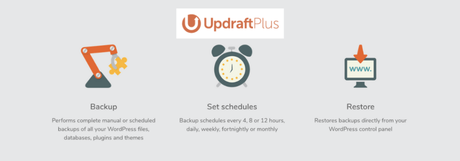
It is one of the most popular WordPress Backup Restore Plugins that is used by WordPress site owners worldwide. This WordPress Backup plugin is available in both the free & paid version. Paid service is the premium version, comes with tons of facilities.
If you use the free version of Updraft Plus as your WordPress Backup Plugins, you are eligible to take complete manual backups.
The free version service also gets cloud storage options to store your database; however, you are limited to use it as it’s free version WordPress Backup Restore Plugins, with the paid version the opportunity is countless.
What it offers?
- Back-up options that are customized and scheduled
- Eligible to manage WordPress multisite network
- Extremely easy to use backups and restoration of the database
- It offers numerous cloud storage options to store your data
- Clone your site to testing the changes
- After testing it migrate your site to a new domain or host
- What makes it unique??
Disadvantages: –
- Like every coin has a double side, this extremely adopted WordPress Backup Plugins also has some draw-backs like;
- It is hard to work or sometimes doesn’t work with larger sites.
- It doesn’t work smoothly with older version WordPress websites.
- It can overload your website as the process isn’t optimized.
- Under UpDraft Central you have to pay an extra fee for the independent centralized dashboard.
Out of all WordPress Backup Plugins, it is the only plugin that enables the best service with numerous features in the free version. With all WordPress backup plugins compared it is the top-rated plug-in to start taking backup of your site.
Its automated data backup schedule in the free version makes it stand out amongst all.
By using this plugin you will also get to connect to the customer service community, however, it is restricted to the premium (paid) service.
Visit Updraft Plus#2 BackuBuddy: –
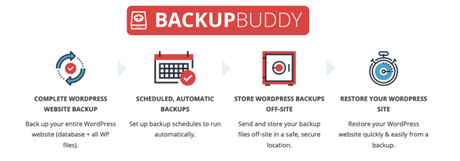
BackupBuddy is another prime WordPress plugins for backup, using this plugin one can easily store data of their site.
BackupBody doesn’t only provide plugins for data storing it also enables various other features like; Images, Videos, Plugin files, Settings, Themes, Website pages, Posts, Comments, Widgets, Users, Custom Posts, Categories, Tags, Database, Core files, etc.
So, you can take it as a whole solution for various storage issues. These files are back-up and get stored in a fully secure place that is out of reach of the hackers.
Every time the backup is done you will be able to download a zip file. This zip file is another copy of your complete back-up that you can store in your system locally. BackupBuddy allows you to store this database file in various other places like; Dropbox, Google Drive, and BackupBuddy Stash.
Whenever you face any issue with your website, BackupBuddy helps you restarting it with all the content available on your website easily.
What it offers??
- Automated backup service is offered by the backup buddy plugins
- You get options to choose a specific backup database file for backup, while you have the option to take backup of everything; means it’s customized
- Repairing of WordPress database and optimizing the same
- It is compatible with various offline storage options
- Easy to migrate the site
- The restoration process of the site is easy & quick
Disadvantages: –
- You can’t get on-demand backups
- You can’t go for product’s testing or there are no testing versions of this back-up
- As there is no HTTP authentication you are in trouble if your website is password protected
- Not suitable for a large WordPress website
What makes it unique??
- The prime advantage of this Wordpres plugin for backup is you get access to 1 year of Stash Live (Stash Live os BackupBuddy means cloud storage space of its own)
- You get 5 daily, 2 weekly, and 1 monthly database backups along with 1 daily, 1 weekly, and 1 monthly full backup with BackupBuddy by default and the complete backup you get as zip files.
- The plugin has enabled email service, which means it will send a notification to your email when the backups are ready for download
- It allows you to easily perform your task
#3 All in One WP Migration: –

By using this plugin you can export all the data of your website including; media files, plugins, and themes. It is easy to use this plugin and you don’t need any typical technical knowledge to do this.
It has instructions that tell you how to properly move your website to different locations. The drag and drop facility makes it easy to do so. This WordPress plugin for backup can fix any serialization issues that you might face during the find/replace operation.
All in One WP Migration plugin is mobile compatible it is the only WordPress backup plugin that gives perfect mobile compatibility experience on WordPress versions 3.3 and up.
What it offers??
- Take back-up in one click
- You get numerous cloud storage options
- The import & export of WordPress files are easy
- Restore process is easy with just one click
Disadvantages: –
- Not suitable for E-commerce websites
- You can’t consider this plugin as a dedicated backup solution
- The customer service is not appreciated offered by this plugin authority
- The free version gives a very limited backup space up to 512 MB only
What makes it unique??
- The simplicity of the plugin makes it comfortable to use
- You don’t need any technical skill to use this WordPress plugin for Backup
- Drag & drop options
- It is perfect for websites irrespective of sizes
#4 VaultPress: –

It is an ideal backup plugin that helps to keep an up-to-date backup of your WordPress website. It allows you to keep daily and real-time synchronization with your contents of the website.
It is an element of JetPack, which is automated built, and maintained to keep sites secure, & enhance the speed of any website.
It helps to protect your site from various issues by performing comprehensive security scans daily. It also adorable as it is easy to review and fix threats.
The plugin’s functionality is easy; it connects your site with the plugin’s server along with WordPress-optimized backups. After connection, the security scan process will operate automatically.
With FTP or SSH details, this plugin will automatically restore any backup to your site with an automated process by only a few clicks.
It saves everything from every single post, images, comments, pages, revision, setting, & more.
What it Offers?
- Watch real-time activity in your monitor as the plugin syncs with all the updated changes as well as scans the site for security hazards.
- Just click on a button and it will automatically save the site’s data in some minutes using an FTP or SSH connection. You are eligible to restore your site that is currently being used or any alternate test site.
- Daily basis scan to any security threats. It scans each day for any suspicious changes with a 30-day archive.
- Opportunity to download any backup you wish for by browsing your entire history of backups. May it be your database, uploads, themes, and plugins; download instantly when you want.
- Unlimited storage disk space
Disadvantages: –
- It doesn’t have the option to provide HTTP authentication, it causes issues for the websites that are password protected.
- The restoration process of this plugin is a little difficult.
- For accessing the full backup features one has to take a paid subscription to this plugin, it doesn’t allow to explore all in the free service. It is considered the prime drawback of this plugin.
What makes it unique??
The free plan of this backup plugin enables you to access several WordPress security features along it allows uptime monitoring.
Visit VaultPress#5 Blog Vault: –

One of the most trusted WordPress Plugins for taking backup is Blog Vault. This plugin is adopted by more than 400, 000 WordPress websites. It is the one-stop solution for complete website management.
Advantages that make it a reliable option than other plugins:-
Automated function; there is no need to be present in front of your system while the plugin takes backup of your website.
Zero timeout sessions & never an interruption in backup; the plugin offers 100% reliability for taking backups each time. Incremental backups have no chance to overload your server.
The first plugin that offers multisite backup support
Free stagging; is the only plugin to offer free stagging sites for free so that you can test your backups before restoring them.
Easy restoration with 1 click; more than 1 million websites restores their website using BlogVault with a 100% success rate. It offers 90 days archive facility to recover your data if any mistake occurs. Offers complete restore option even if the site is offline.
What it offers??
- Step-by-step back-ups facility
- Scheduled & automated backups
- No extra server load
- It has inbuilt options for testing your site and stagging
- Flawless migration with one click… migrating to a new domain, host, DNS, or server 80% faster
- The centralized dashboard that enables managing several tasks at one time for several websites
- Offers the option to take complete backup and store it in Google drive or dropbox
- Customized backups; means you can take backups as much as you want. You skip taking backups of those parts that you don’t need
- Take real-time backups if you own any Woocommerce site
- Timely monitoring
What makes it unique??
One-click; and you are set to restore your backup. This feature is the more admired feature of this plugin.
It enables unlimited on-demand backup which means you can take backup of your website whenever you want.
The personalized and effective customer support feature makes it very easy to use.
The storage problem is taken care of by the plugin; the data you download is encrypted and stored highly secured on Amazon S3 servers. You can also take your backups and save them to Dropbox, Google Drive, or your local system.
The premium version secures your database through MalCare security integration.
The most exciting feature is once you raised a request for backup it will automatically save it, you don’t need to stay up on the page.
Disadvantages: –
No free version available.
Visit BlogVault#6 BoldGrid Backup: –

BoldGrid backup is a very powerful and focused WordPress plugins for taking website backup. It offers automated remote backups along with tools that can restore your WordPress site despite corrupt installation.
It is more than simply a backup plugin as it offers several features like; remote backups, fault protection, and migration solution for your WordPress site.
The toolset of the plugins helps to prevent site crashes by monitoring the site for errors which can later lead to crashes. It creates an archive by itself before any updates in theme or plugin so that it can save the last backup if any updates get failed.
However all these features are not available in the free version, some are strictly available in paid versions.
What makes it unique??
- The plugin support many different platforms like; Google Drive, Amazon S3, and DreamObjects
- Encrypted database
- Automated updates in a timely manner
- History updates
- File restoring individually
Disadvantages: –
Many features are not available in the free plan.
Visit BoldGrid Backup#7 BackWPup: –

With more than 600,000 active installations BackWPUP is an amazing plugin for WordPress backup. The ease of use makes it more popular. With minimal features, the free version is also well adopted.
What it offers??
- First & foremost it takes backup of your site
- It enables database backup process
- It is compatible with multisite network
- Comes with fully automated backup & restoring options
- Supports multiple storage options
- You get access to log files
- What makes it unique??
- The dedicated apps make it unique that works as emergency restores
- The plugin service provider offers personalized customer support
Disadvantages: –
A little bit of technical knowledge is required to operate the plugin operations.
Visit BackWPupWordPress Backup Plugins Alternatives:
Are you not sure about any of the WordPress backup plugins or don’t want to get into the backup process by yourself? There are options for you like to hire a service provider who would take care of your backups, cloud storage problems, hosting, server, security, & all other management of your website.
Free WordPress Backup with Managed WordPress Plan: –
FlickMax is an organization that always takes care of the customer’s needs no matter it is domain service or hosting services. If we talk about the WordPress backup service, Well, We have customized our Managed WordPress hosting by adding a free website backup feature. There would be no extra charge for it if you purchase our service.
Get your database protected with them, and enjoy a 1-click restore process.
FlickMax can provide options to download the files to the local desktop, which makes the site migration easy for you.
Facilities With Managed WordPress Backup;
- Built-in daily malware scanning
- Automatic daily backups
- Back up a file, folder, or an entire database
- Scheduled or on-demand backups
- Continuous security monitoring
- Downloads to local storage
- Easy one-click restore
- Secure cloud storage
- Expert 24/7 customer support
What does Exactly a WordPress Backup Plugin do?
When a website crashes the vital thing is to make it up and run as soon as possible. Every second you might lose business due to crashed website. Your services will get affected and that will ultimately affect your business. This is the reason you need WordPress Backup Restore Plugins.
The WordPress Backup Plugins are the magic box that is capable of storing all your website’s data making it run within a few time after crashes. By using these WordPress Backup Plugins one can save their website from user errors, vicious attacks, or malware and easy solution for cloud problem.
Here are some basic features of good WordPress Backup Restore Plugins:-
Responsible Backup with Zero Hassle
Responsible backup intends plugins have zero errors while creating the backup and restoring data without any technical issue. Because the owner of the website never wants his website would crash while migrating and creating a backup. As well forget the site crashing issue, some backup plugins from an untrusted source could not capable of creating a full backup, which means no 100% backup, Technically it’s a failure.
So if you are choosing a website backup plugin, it must be expert creating 100% backup with less time restore capacity.
Friendly to Use Functions
A plugin capable of creating 100% backup and restore is also not sufficient for the user. Because most of the users of WordPress are not experts, some of them beginners and small business owners. That’s why plugins should have user-friendly navigations for easy use for all.
Store Backup Securely
Security is the most important thing if you are doing any technical job on the internet. That also applies to WordPress backup plugins, the developer of the plugins must develop with high security to save the backup data from hackers and spammers.
Take a Very Less Time to Restore
Choose WordPress Backup Restore Plugins that come with features to restore your site within few times. Once your site gets crashed you lose business every second, so don’t take chance with spending a lot of time restoring our website.
Allow Users to Customise: –
There should be some options for users to customise the plugins for their own use. The line intense to the filter options in the plugins allows to uses to backup needy data in-stayed of whole site backup.
What we learnt?
Having an option for the site backup is a boon; you can go for regular backups, schedule backups, or daily backups. It is the best way to save your site from getting hacked or crashed for any reason.
When you are sure you have your backup option ready you get mental satisfaction that you won’t have to lose your site ever.
Thus, we have presented here the best WordPress plugins list with its features, pros, and cons so that you can decide the right one for you.
FlickMax is right beside you for solving all your backup, cloud storage, server, hosting, and overall WordPress site issues.






