


AAre you looking for the best PC cleaning tool? Well, this breed of utility tools are supposed to make your computer run faster by optimizing certain settings. But, of course, no magic will happen in all cases, and your PC can only speed up to its designed capacity. Either way, these PC cleaning tools could at least come in handy.
What does a computer cleaner do?
You might want to know precisely what data is destroyed to you in the process. When we talk about the typical free PC cleaning utilities for Windows 10, they promise to remove various things including junk files, browser history, browser cookies, leftovers of uninstalled apps, etc.
Moreover, some of these tools also have a paid version, giving you access to more features like one-click maintenance, etc.
Are these PC cleaning tools useful?
I won't say that you should totally depend on computer cleaning software to keep your machine running smoothly as there are a few best practices every user should follow to keep their PCs safe and sound. However, they can be useful in certain scenarios if you choose the right tool.
Various Windows cleaning tools are often questioned because there are a lot of bad fish in the sea. Some cleaning tools only slow down your computer. They try to install unwanted software by fooling you, or some of them kill essential system processes. All in the name of making your PC faster.
Some PC optimization tools even try to hype up small, if not non-existent, problems. They intend to panic the user, who is not very tech savvy, and end up paying for the software.
But my personal experience with some free computer cleaning tools hasn't been that bad. I remember getting a significant improvement in the boot time of my old PC after erasing unwanted data using CCleaner.
Still, I won't recommend using a random cleaning tool to fix your PC. In fact, as they say, if it ain't broke, don't fix it.
Either way, here are some of the best computer cleaners you can try if you seriously feel the need to use them on your machine.
5 best PC cleaning tools for Windows 10 (2020)
- Storage direction
- Disc cleaning
- CCleaner
- Avast cleaning
- Free Advanced SystemCare
1. Storage Sense - the built-in free computer cleaner
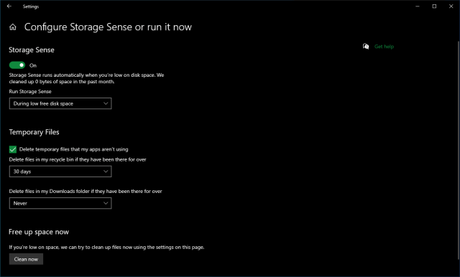
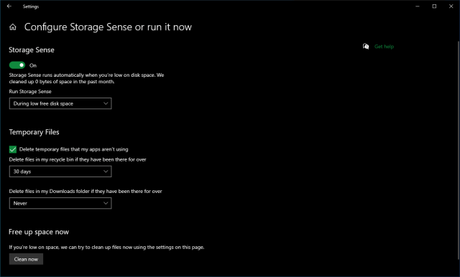
If you are using Windows 10, I would ask you to go no further than the Settings app on your PC. Windows 10 comes with a built-in PC cleaning tool called Free Up Space, which is part of Storage Sense.
Free Up Space also does most of the work like a regular Windows cleaner would. It's just that you don't need to install any third-party app and it's completely malware free.
How to use Free Up Space on Windows 10?
- Go to Settings> System> Storage.
- Click on "Configure Storage Sense or run it now"Option.
- Scroll down and click Clean now.
On the same page, you can also configure how you want to delete temporary files related to apps or whether you want to automatically delete files from your Downloads folder after a specified number of days.
Also, you can enable the Storage Sense tool if you want Windows 10 to clean your hard drive every now and then manually.
What are the advantages and disadvantages of Storage Sense?
- You don't need to install this computer cleaning software.
- Works without any problem. Updates automatically with Windows 10 updates.
- Erase junk files from your computer.
- Can automatically optimize your storage, clean Recycle Bin and Downloads folder.
- It's buried deep in the Settings app, which is not visible to the user.
- This free cleaning software is not supported on older versions of Windows.
2. Disk Cleanup - Free PC Cleaner for older versions of Windows
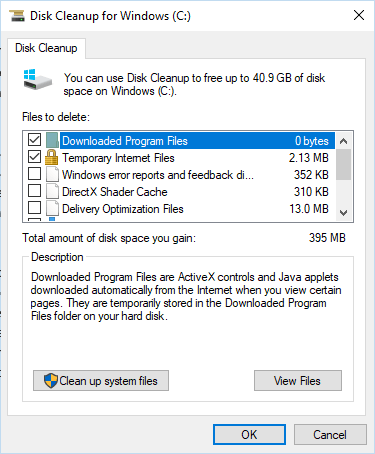
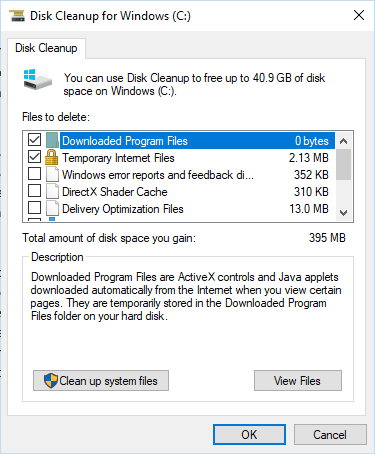
For those who are running older versions like Windows 7, Windows 8.1, the built-in Disk Cleanup is probably the best free computer cleaner you can get without doing anything.
For some reason, if you don't like Storage Sense, Disk Cleanup is also available on Windows 10. The built-in Disk Cleanup utility may remove old Windows installation files after a feature update. to free up about tens of GB of space on your PC.
Just open the Start menu and type in Disk Cleanup. It's a bit slower than Free Up Space on Windows 10, but you can still get rid of a lot of junk that's living on your PC.
What are the pros and cons of Disk Cleanup?
- Due to its successor, Storage Sense, its user interface now looks old.
- Does the job of removing junk files, temporary internet files, thumbnails, etc.
- It can delete old Windows installation data to free up large amounts of space.
- Can clear data from your Downloads folder and Recycle Bin.
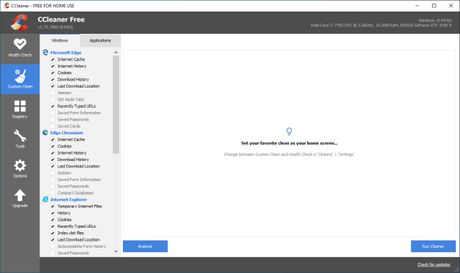
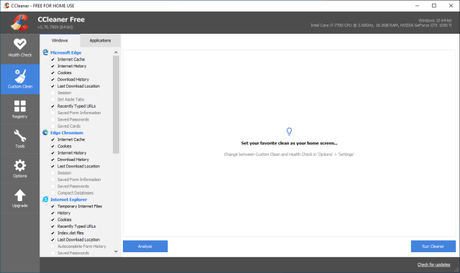
CCleaner is probably the most well-known Windows cleaning tool out there. Not only Windows 10 (and earlier versions), this utility software is also available for macOS. What makes it one of the best free PC cleaner apps is the many great features it offers besides the data wipe feature. For example, you can use it to erase your hard drive.
Although this PC optimization tool is quite popular, there is growing skepticism about its use due to some features like active monitoring that might make users question the privacy aspect. However, Piriform has taken steps to tackle these issues. Nevertheless, when using it, you should be aware of the options enabled in the settings.
What are the advantages and disadvantages of CCleaner Free Version?
- Easy-to-use application that analyzes unwanted data on machines and quickly deletes it.
- Users can configure what type of data the PC cleaning software should remove during the process.
- Intelligent cookie analysis to leave login information intact while erasing browsing data.
- The free version of CCleaner includes features that get the job done most of the time.
- User can exclude specific folders from cleaning process.
- CCleaner includes many other additional features such as Disk Wiper.
- Receive regular software updates, but the free version does not update automatically.
- The smart cookie analysis feature could raise privacy concerns for some users.
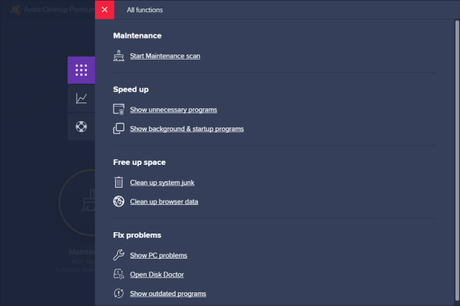
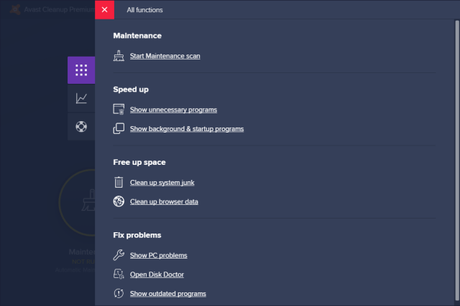
This PC cleaning tool comes from the famous antivirus maker Avast Technologies. Avast Cleanup can be a good choice for users who are looking for reliable and easy to use PC cleaning software.
However, this Avast tool comes at a price. But you can give it a try and see if it meets your needs.
The advantages and disadvantages of Avast Cleanup
- The user interface is beautiful and easy to navigate.
- Can erase junk files related to various supported applications.
- Sleep mode prevents less required applications from consuming system resources.
- Can detect and suggest removal of bloatware and other less used applications from your computer.
- Can clear temporary browsing data from over 25 supported browsers.
- Comes with built-in registry cleaning and disk cleaning tools.
- No free version exists.
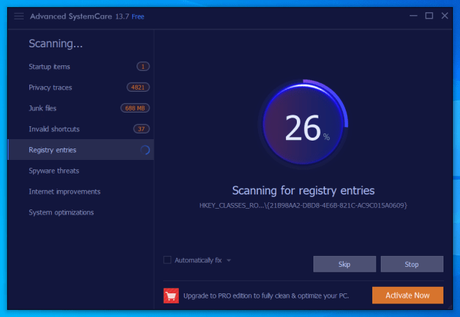
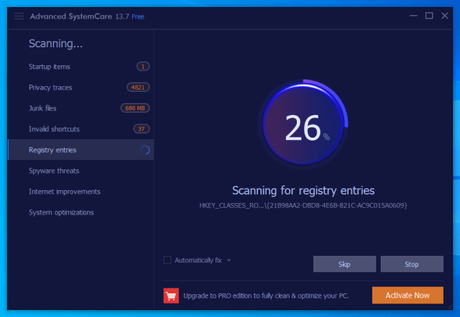
Advanced SystemCare is yet another free PC cleaner and optimizer that you can enjoy on your Windows machine. It is developed by IObit which creates other useful Windows utility software including Uninstaller, Start menu for Windows 8, etc.
What are the advantages and disadvantages of Advanced SystemCare?
- Advanced SystemCare is free and easy-to-use computer cleaning software with essential features visible on its user interface.
- Can do startup optimization, delete junk files, fix redundant shortcuts, clear browsing data, etc.
- This free PC optimizer can check for outdated system drivers and optimize RAM usage.
- The functionality can be extended by adding add-ons like IObit Uninstaller, Driver Booster, Smart Defrag, etc.
- Displays a desktop widget with real-time data on RAM and CPU usage.
- Can shut down your PC at a specified time.
- Attempts to install additional software during the setup process.
Overview of PC cleaning tools
So guys, these are some of the best PC cleaner apps for Windows 10, Windows 7, Windows 8.1, etc. We will continue to update this list, so be sure to check it back in the near future.






