


With the advancements in ai technology, anyone, regardless of technical skill or knowledge, can create stunning visual content effortlessly today.
It has never been this easy in the history of the internet to create video content.
But the big question is, which is the best ai video editor for your unique project?
That's where the problem lies because there are no one-size-fits-all answers. It depends on your content needs, skill sets, quality expectations, video editing features, etc.
With all these minds, I compare five ai video editing software so you can pick the best artificial intelligence video editors that fit your content needs.
Without wasting your precious time, let's jump in.
Best AI Tools for Video Editing
This list contains several machine learning video editing tools for many use cases; from text to speech, editing existing videos, or creating one from a blank canvas, you will find a perfect online ai-powered video maker software.
You don't need to hire video editors anymore; this software makes creating and editing template-based video content painless and easier to complete.
You can create videos from stock photos, use artificial intelligence voice-overs artists, upload your own, and even create videos from existing blog posts.
Whatever your video marketing needs, you will find the right ai video editing software with ai capabilities in this post.
1. Invideo
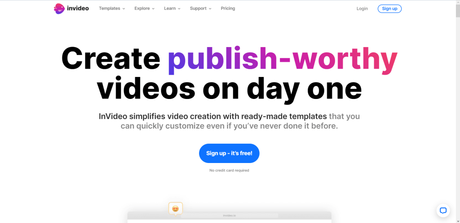
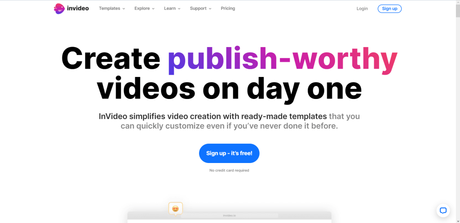
More than 7 million customers spread across 190 countries, Invideo is one of the most popular automated video editing software.
You will love Invideo if you want to streamline video editing with ai of creating high-quality videos but lack the technical know-how.
The software removes all video creation and editing obstacles for non-techie users with readymade templates and stock photos, making it effortless to create professional video presentations, even for beginners.
Invideo supports more than 70 languages making it accessible to global users.
Marketers, content creators, and business coaches use Invideo to create talking head videos presentation and video content from text without appearing in the film. This is a perfect way to create YouTube videos if you are camera-shy.
The best part, Invideo allows you to create video films from just an idea. All you need is an idea and the script; the Invideo ai will generate an inspiring video from your prompt.
And yes, you can edit existing videos using several smart video editing features.
Check the extensive review of Invideo to learn more about its features and pricing.
What Makes Invideo Greats.
- Invideo has over 5,000 pre-made professional templates.
- One-click Image background removal
- Select from over 8 million istock media libraries.
- Share videos created in Invideo with team members to get feedback and collaboration.
- Invideo gives you access to over 1 million premium videos and photos from iStock, Shutterstock, and the storyblock library.
- It supports HD and FHD video resolution for high-quality video content.
- Use Invideo AI to create scripts and generate videos.
- You can save your uploaded files and media content in Invideo to the cloud.
- Create your brand color pallet to reuse and save time on future videos.
What I Don't Like About Invideo
- For beginners, the editor interface can be challenging to navigate.
- Watermark on the free plan.
- Limited 1 GB storage for the free plan.
Pricing.
Three standard plans are available: Free, Business, and Unlimited.
The free plan is suitable if you want to try essential features to see if Invideo works for you. The free plan is also ideal for beginner video creators looking for a no-cost solution to edit their videos.
The Business plan is the most popular; it costs $15 monthly. It allows access to a 1 million premium media library, removes the Invideo watermark, accesses the background removal tools, and allows adding unlimited team members.
While the Unlimited plan comes with everything in the Business plan, the significant differences are in the resource allocation and storage size.
For example, the Business plan allows a maximum of 60 video exports per month; there is no restriction in the Unlimited plan. The price for the Unlimited plan is $30/month.
However, Invideo has a lifetime deal of $399 and $1099 for the Business and Unlimited plans, respectively. But this is a limited-time offer, and you need to contact sales to get the deal.
2. Synthesia
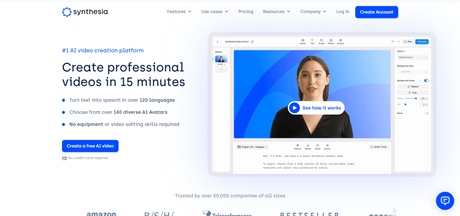
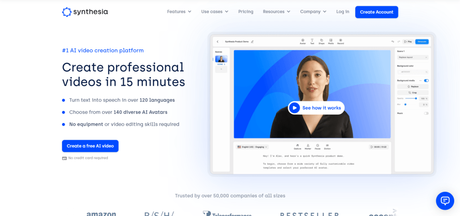
Synthesia is another AI video editor trusted by over 50k businesses.
Synthesia's most vital selling point is the AI Avatar, which allows anyone to create a video tutorial or presentation with an artificial intelligence presenter.
There are several AI avatars (over 140) in over 130 languages and accents.
If you don't like being on camera but want to talk to your audience, this is a perfect solution. Watch the demo video below.
The Synthesia editor interface is beginner-friendly and intuitive, and the software allows you to upload your assets like videos, music, media, photos, and fonts, making it a powerful tool for creating custom video content.
Also, creating a custom AI avatar human-like presenter is possible if you want to flex your video editing skills. Your video can be unique and stand out from the crowd.
What Makes Synthesia Great?
- Support more than 125 languages.
- Add gestures to your AI avatar presenter to make it more human-like and engaging.
- Create high-quality videos from text inputs.
- Convert PowerPoint presentations into engaging videos.
- Synthesia has more than 60 video templates to get you started in minutes.
- A beginner-friendly drag-and-drop templates editor.
- Customize every part of your video design, including font, color, background, images, etc.
- Built-in screen recorder feature.
What I Don't Like About Synthesia
- Limited premade video templates compared to competitors like Invideo.
- Only one standard pricing plan, not giving users options to make a choice.
Pricing.
One standard pricing for Synthesia is available: the Personal Plan costs $22.50 monthly.
It gives you access to every feature except multiple user seats (only one user account). Also, you cannot request feedback or create branded ai avatars, upload custom fonts, or add CTA to your shared page.
The Synthesia dedicated support services are only available to Enterprise customers, a plan with custom pricing.
3. VEED
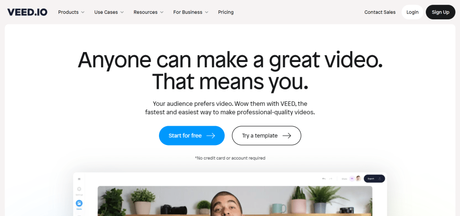

Veed is a revolutionary ai video editing solution allowing anyone to create stunning video content using premade templates and stock photos.
Adding video subtitles is easy in Veed; it can automatically generate subtitles, allow manual typing, or upload files such as SRT and VTT from existing subtitles files.
Veed is more than just an ai-assisted editing video tool; you can record yourself and use its built-in teleprompter to keep consistent and accurate speech while recording.
You can record from a webcam, computer screen + camera, or slide presentation camera, making it a helpful video tutorial creation tool.
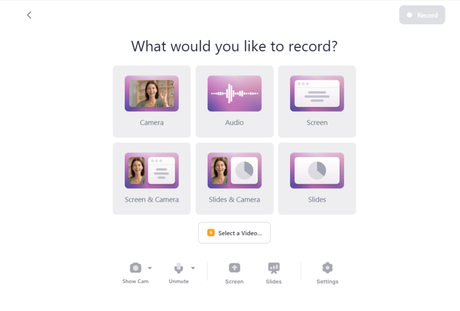
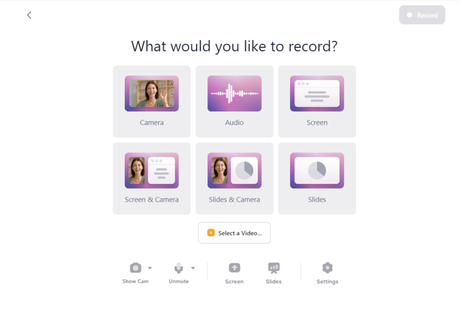
This is a very helpful tool for YouTubers, presenters, and anyone who needs to record themselves but still needs to focus on the script of the video content.
Check out the video below to learn more about how to use the teleprompter.
There is an option to control the scroll speed, record yourself while the text scrolls across, and skip sections.
If you don't like the background of your recorded video, removing it is easy; there is a one-click background image editing feature. It automatically swaps the original image background with another from the premade templates.
What I like About Veed.
- Veed is a more robust and complete video editing and creating software than many competitors.
- It allows content creators to create video types - screen recorders, filming, presentations, tutorials, animations video, etc.
- Automatically create video subtitles.
- Upload unlimited file size.
- Minimum 10 minutes video length in the free plan. Pro and Business plans allow up to 2 hours of video length.
- Veed removes recording background noise to improve video and enhance audio quality.
- You can generate videos using the text-to-speech ai video features.
- Add timestamp comments to your videos for feedback and to get meaningful discussions.
- It allows you to convert and compress video files to other formats and reduce file size.
What I Don't Like About Veed.
- No support for free users in case you require help using the software. However, there are helpful articles and tutorials.
- Only Business plan users have the video analytics feature.
- Again, only the Business plan users can add a clickable call-to-action button to the video.
- AI Avatar features are not available to all users except users on the Business plan.
Pricing.
Regarding pricing and availability plans, Veed has several options for its users.
First, you can start with the free plan, which allows you to test the platform with limited features and tools. Your video will have the Veed watermark logo, but that's okay, and nothing much to worry about.
The Veed Basic plan starts at $12 monthly, giving you access to more features and tools. You can export video resolution in 1080p, while the free plan allows only 720p.
The maximum storage space in the Basic plan is 5 GB, the Pro gives you 20 GB, and Business allows up to 50 GB.
The pro plan costs $24/m, and the Business plan will set you up for a $59 monthly expense. But it gives you access to more features like 8,000 subtitles mins per year and creates videos in 4k high resolution.
Check the pricing page for more information on the Veed pricing and features.
4. Capcut

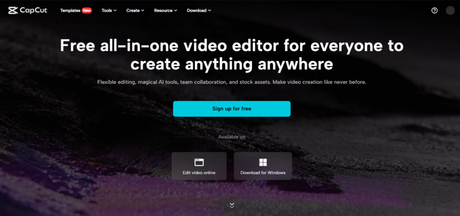
ByteDance (The same company behind TikTok) created Capcut as a free ai video editor for short YouTube, TikTok, Instagram, Facebook reels, and video ads.
Though not as feature-rich as Veed and Invideo, Capcut offers several automated ai video editing features to help users create stunning video content in minutes.
CapCut ai video ad creator provides an easier way to create fantastic advertising video material, even for novices. You need to enter a few texts, like product title and description, and the CapCut ai generates a video ads script based on your input.
Next, select your ad material for the Capcut ai to create amazing video ads that help your business reach a wider audience.
Like several other best ai video editors, Capcut is templates based, making creating and editing your video in the software easier. You can add stock videos and images to enhance the video quality or upload your media asset to create unique videos.
Editing the templates is easy; you only need to select the video scene to edit and change the design elements like text, images, font, add video, color, etc.
What I like About CapCut
- Capcut is extremely easy to use, making it one of the best beginner-friendly free ai video editors.
- The user interface does not require an extensive learning process to use and understand.
- Capcut AI magic tools let you do incredible things in one click, like bringing old photos back to life, one-click background removal, image resolution improver, slow motion effect, etc.
- Add stickers to your video and make it look more fun and exciting.
- One-click background music generator.
- Upload your music and media files.
- Cloud storage facility available
- Remove background noise like humm, ambient noise, hiss, etc.
- Capcut automatically generates subtitles to sync with your video playback footage.
- Available for Windows desktop and mobile smartphones (IOS & Android)
- Excellent choice for TikTokers. Also, provide one-click video export to the TikTok platform.
What I Don't Like About Capcut
- Compared to many of its competitors, Capcut falls behind in template numbers.
- Not suitable for business and digital marketing professionals.
- 15 minutes maximum video length.
Pricing
Capcut is free to use, making it a top choice among beginners and TikTokers.
5. Designs.ai


Designs ai is an all-in-one, multipurpose ai platform for creating logos, speech markers, ai assistant writers, and video makers. However, in this post, the focus is on the Designs ai video editor.
Like other ai video editors mentioned in this post, Designs video ai uses templates categorized by industry.
From e-commerce, real estate, education, fashion, and beauty to travel and funny memes, there are ready-made video template creators to help you hit the ground running.
When you log into the dashboards, choose the video content maker option to proceed to the editor.
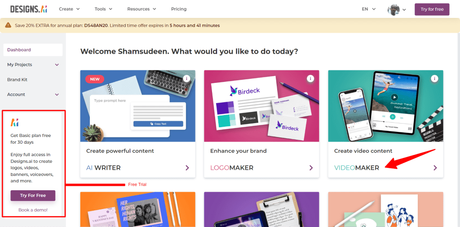
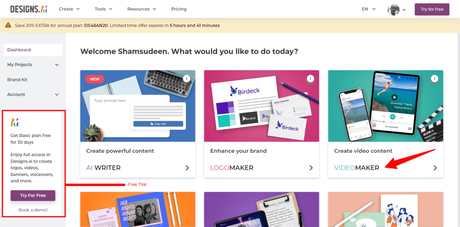
There are over 15 million stock images and video clips to customize your video.
Each stock image and video clip is fully customizable. You can change color, logo, background, sound effects, edit scenes, add video timelines, etc.
Adding transitions and animation effects is one click, and you can upload the video to edit in the Designs ai video editor.
Though Designs ai is not as robust as other best ai video editors listed here, it's a good starting point if you're looking for budget-friendly online ai video software.
What I like about Design Video Maker
- The platform is easy to use and navigate for beginners.
- No steep learning curve.
- Choose and save your brand styles like logo, color palette, and images and reuse them anytime for all your projects and mockup designs.
- Availability of millions of stock images and video clips.
- One-click animation and video effects.
- Create unlimited video - no restrictions on how many videos you can create in a month.
- Ability to export storyboards in PDF files.
- Add team members to your account.
What I Don't Like About Designs Video Maker.
- Not suitable for advanced users looking to create professional video content for marketing purposes.
- Not too many advanced features to create high-quality, engaging videos.
Pricing
Besides the free plan, Designs offers three standard premium plans - Basic, Pro, and Enterprise.
The Basic plan suits individuals and students looking for an easier way to create quality video content without dealing with complex or advanced features. It costs $19 per month but is billed at $228 yearly.
The Pro plan is ideal for agencies or marketing professionals with team members. Bullied $558 yearly at $49 per month, the Pro plan gives you access to 20 premium images monthly and a maximum of 5 users in a team.
Enterprise license gives you everything in the Pro plan plus 15 user seats, 200 monthly premium images, and access to video creation service. However, you must contact sales for pricing and other access features.
The Enterprise license is ideal for large marketing and agency brands, with high demand for video editing features at scale and more advanced tools.
There is a free trial for the Basic plan if you want to try the full suite of Designs tools for a 30-day period. It requires entering your payment details, but you won't be charged for activating the trial offer.
Access to the free trial is available via the link below.
FAQ
Conclusion.
The artificial intelligence video editing platforms discussed in this post serve different audience categories and use cases; they have unique features and advantages that set them apart.
If you want an online video editor that's free to use, with no features behind a paywall, Capcut is the best free online video editing software. Though it lacks advanced features capability to compete with software like Veed and Synthesia, you should be okay with using free tools.
Assuming you want to upload existing video into software that lets you edit it and add elements and animations, remove background noise, fonts, and more, Invideo is a good choice.
If you want to record yourself, do a YouTube video or tutorial, or you're a business coach or instructor, Veed is the best ai video editor to go for.
It has several features and tools for creating top-notch video content. Veed teleprompter features make it a suitable video tool for content creators and YouTubers.






