


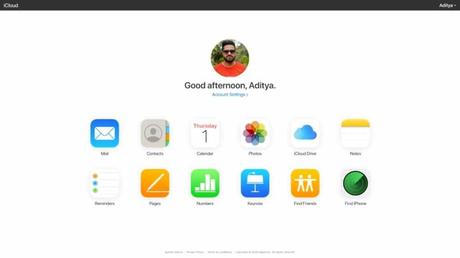
You buy a new iPhone and use it for about a week, and all of a sudden it starts to remind you to upgrade your iCloud storage plan. Now, you don't even know where exactly the iCloud settings exist on your iPhone, but you've maximized your storage capacity without realizing it.
Unfortunately, this is one of the downsides of owning an iPhone; iCloud only gives you a limited amount of free storage as part of the Basic plan. So, is iCloud free? Yes, but with a twist. It doesn't matter whether you buy a 64GB iPhone or a 512GB iPhone, you'll get the same amount of free iCloud storage.
In comparison, Google provides nearly three times the amount of cloud storage for Android and iPhone users.
What is iCloud and why should I use it?
iCloud is Apple's cloud storage service that allows you to store contacts, notes, photos, videos, and other files in the cloud to access that data later, even if you lose access to it. the device. ICloud storage is also used to back up your iPhone and other apps installed on it.
In fact, this is the reason why your iCloud storage is consumed so quickly; it needs to store so much data. Plus, your online storage limit is already doomed if you have multiple Apple devices, each with various apps installed and requiring regular iCloud backup. The 5 GB limit is not sufficient for this.
You can also use iCloud for Windows app to quickly import photos from iPhone to PC. The iCloud app on Windows 10 allows you to sync other data like your videos, emails, bookmarks, etc. However, this is a dead end for Android users as there is no app available for the platform.
The problem with iCloud
One day I was analyzing my iCloud account and found out that WhatsApp alone was consuming almost 3 of the 5GB limit of online data. I tried deleting some of the videos, but it only helped for a few days until the storage space was full again. There could also be game saves, like Call of Duty Mobile, which will consume huge amounts of space.
So depending on how much you can resist or handle, a day will come when you will end up buying a paid iCloud plan. Here you will find that even after paying hundreds of dollars for a 256GB or 512GB iPhone, you still have to buy one of the iCloud storage plans.
This brings me to the discussion of whether you should buy a 256GB iPhone model or buy a 64GB model and get 200GB of iCloud storage. Here I would like to discuss the pros and cons of both setups.
256GB iPhone vs 200GB iCloud Storage: What Should You Buy?
When comparing local iPhone storage with iCloud, there are some factors that we will need to consider that can make the difference. For example, how much price you will end up paying, user experience, ease of access, etc.
Which one is the cheapest? Paid ICloud or higher capacity iPhone
So let's start with the price of the iPhone. If we are talking about the iPhone 11 from last year, here is the launch price of the various models:
- iPhone 11 64GB - $ 699
- iPhone 11 128GB - $ 749
- 256GB iPhone 11 - $ 849
Also consider the monthly iCloud cost that you will have to pay:
- 50 GB - $ 0.99 / month ($ 11.88 / year)
- 200 GB - $ 2.99 / month ($ 35.99 / year)
- 2TB - $ 9.99 / month ($ 119.88 / year)
When you buy an iPhone these days, Apple offers software updates for up to five years. So in other words, you can use the device for 5 years if you don't break or lose it.
Now our goal is to compare a 256GB iPhone 11 with a 64GB iPhone 11 + 200GB iCloud storage and see which one is the cheaper option. Here I tried to do some simple math to make the two storage setups equivalent. I consider 64 GB as the minimum storage limit.
So in the first case, the 256GB iPhone gives you 192GB (256GB-64GB) of extra space after paying $ 849 - $ 699 = $ 150. Stretching that cost over the 5-year support cycle means you're paying $ 30 / year for that extra storage.
Now back to iCloud storage; the $ 2.99 / month will cost you $ 35.88 in one year and $ 179.4 in five years.
So it's quite obvious that the iPhone with local storage will cost you less, although you also get 8GB less device storage.
Here the storage cost per GB is $ 150/192 GB = $ 0.78 for local storage and $ 179.4 / 200 GB = $ 0.90 for iCloud storage.
Awesome, but there is a twist
Now, you might be thinking that it's better to go for the 256GB iPhone and save some money. But things are not that simple. Here, as I mentioned above, even if you buy an iPhone with more local storage, you will still need to purchase an iCloud plan if you want to sync your data between devices. So that means that you will be paying money on top of the $ 849 you already donated.
The total cost of your 256GB iPhone 11 over five years will be $ 849 + $ 179.4 = $ 1,028.4. The cost takes into account that the prices for iCloud storage remain the same.
However, the 64GB iPhone 11 will set you back $ 699 + $ 179.4 = $ 878.4 in five years. You can do the same calculation for the iPhone you want to buy.
The conclusion here is that the choice you make depends on your personal preferences. Whether you want to use more cloud storage or can do without.
Important: Here I have not factored in the internet charges that you will pay using iCloud.Local iPhone storage vs. iCloud storage: pros and cons
Now, whether you're paying for cloud storage or using local storage, each of them has their own set of pros and cons. Here I have tried to highlight some important elements to give you a better picture.
One-time payment, EMI available
Monthly payment
Faster access to data at constant speed
Relatively slower access (depends on internet speed)
Can work without internet (instant access to storage)
I cannot work without the Internet. (No instant access to storage)
Cannot sync multiple devices (local iTunes backup)
Multi-device synchronization possible (cloud backup)
Ideal for applications that store huge amounts of data
Not ideal for applications that store huge amounts of data
Payment / Availability - The local space is yours
One of the biggest differences to be aware of is availability or ownership. No matter what price you pay, the device's storage remains your property as long as your iPhone is alive.
By comparison, iCloud storage is a subscription-based offer, and the moment you stop paying, you can't use that space anymore. Apple gives you 30 days to download your data.
Also, speaking of payment, you can easily buy a larger capacity iPhone all at once in addition to the EMI options available. But Apple doesn't offer an annual plan for iCloud storage, which might not be a cup of tea for some people, including me.
Internet access and space consumption
Another major differentiator between iCloud storage and your iPhone's local flash storage is the need for internet access. Although the internet is almost a necessity these days, one of the big downsides of cloud storage is that you still need an active internet connection.
For example, when I open the Photos app, my iPhone needs to download data to show the good quality pictures, forget about the videos. Fortunately, this is not the case with local storage where all your data is available in the blink of an eye.
An important point to note here is that even after storing all media in iCloud, the Photos app still consumes space on the device to keep poor quality image copies.
Ease of use
Let's say you're going on a week's vacation and want to click a few photos. Here, having more local storage will be beneficial as you may not get a good internet connection. Also, syncing media in a foreign country with pocket internet tariffs would not be a good option.
There is no doubt that local storage is much easier to use than online storage. For example, you can delete files whenever you want without needing an internet connection.
But again, the definition of comfort and ease of use differs from person to person. A person with multiple Apple devices would be better off with an iCloud subscription instead of resorting to complex methods to sync data from their device. The convenience of having your photo on other devices instantly is something you cannot ignore.
So guys, it's all about local iPhone storage and iCloud online storage. Now you have a better idea of the pros and cons, which will help you make a more informed decision when buying your next iPhone or iPad.
If you have something to add, drop your comments in the comments.
The 256GB iPhone vs. 200GB iCloud Online Storage: The Pros and Cons Explained appeared first on Fossbytes.






