


Cyber-attacks are a common occurrence that can affect any website. Unfortunately, most business owners often end up paying a lot of attention to the various elements of their site such as Web Design, Content and SEO, but they ignore the need for a ‘dedicated security monitoring service’ until it is late.
Under no circumstances, should web security ever be underestimated. While following basic security measures can work to a certain extent, they are not enough to get rid of all those website vulnerabilities.
What is a vulnerability scanner?
Our archetypical vulnerability scanner is a potent and specialized tool that will give you an extra pair of eyes so that you will be able to monitor your website and receive alerts any time the tool detect any potential threats to your site. Such tools can scan the website and the different networks for many glaring security risks and loopholes. Apart from that, they can also do the following:
- Define the vulnerabilities
- highlight these vulnerabilities
- Make sure that you know which ones need to be patched on a priority basis
- identify remedial actions to stop them
However, one of the best things about these effective website scanning tools is that they do not cost even a cent. Yes, you heard it right. They are free. Let us look at a few of the more popular ones that will not only help you automate the overall detection of such vulnerabilities but they also guide you regarding any security vulnerabilities that you may have to face thanks to the digital transformation.
Remember, literally millions of websites are hacked every day. So the best possible way to make sure that ‘your’ website is secure is to get a reliable vulnerability checking tool, as soon as possible. But there is no need to spend or rather splurge on such checking utilities, especially since you have already splurged on different premium grade antivirus software.
Let us check out a few such free online utilities that you can use to ferret out any vulnerabilities in your site and furthermore to take remedial actions to ensure that they remain secure at all times.
#1. Scanurl
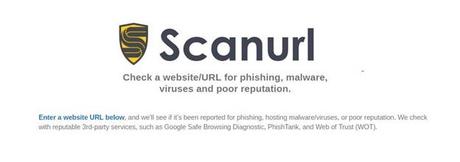
- Whether the site has passed the Google ‘Safe Browsing test’
- If and whether anyone has marked your site as “unsafe”
- Whether PhishTank has a file on your website
- Whether the global ‘Web of Trust’ has acquired any negative ratings on your website
#2. Quttera
#3. SiteGuarding
#4. WPScans

#5. ScanMyServer
#6. MalCare
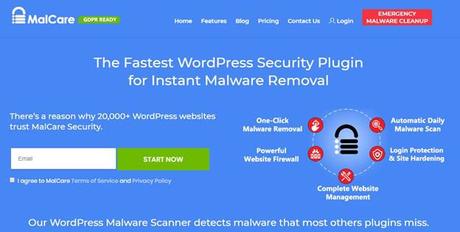
Malcare can detect malware that goes undetected. It can focus on the innate accuracy of its malware identification feature while reducing the total number of false positives too.
#7. sitecheck.sucuri
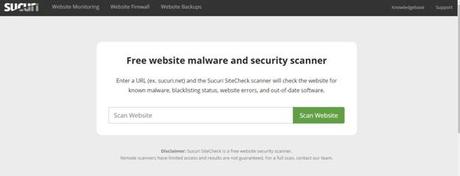
Apart from the above, it also uses its built-in website firewall to scan through various scripts and (associated) links. This enables it to check whether the site has been blacklisted on any of the other more common and popular services such as:
- ESET
- Google Safe Browsing
- Phish Tank
- Yandex (via Sophos)
- Opera Browser
- Sucuri Malware Labs Blacklist
- Site Advisor
- Spam Haus DBL
#8. Wploop.com
The somewhat incongruously named Wploop.com checks the site for important WordPress response headers that contain detailed PHP version info, readme.html meta tags, the list of usernames to quote but a few of its more useful functions. Apart from that, it also checks for any display of unnecessary information on install. PHP files (via HTTP), browsable uploads folder, failed login attempts, accessible upgrade files via HTTP, the edit URI links present in the page header, and Windows Live writer link that may be present in the page’s header.
#9. Virus Total
This nifty little online tool is owned by Google’s own parent company Alphabet and it painstakingly analyzes multiple websites to determine if these sites have been affected by any malicious software. Ultimately, it aggregates and also runs a vast range of website scanning and antivirus tools and lets you create your very own security report for any specific website. Ultimately it can also check a single file or even a component of the website on a standalone basis, or the entire website, for any trace of malware.
#10. Web Inspector
The Web Inspector behaves exactly like a browser. In this way, it can use various other security tools and plugins to identify, to resolve, and terminate all threats to the site. Apart from that, it can update the site SSL certification. However, this is not a free software.
#11. cWatch Site Scanner
cWatch Site Scanner is adept at the identification of risks, outdated vulnerable software, blacklist status, threats, etc., on the website. It also helps the users repair a hacked website. This security tool is also complete freeware.
#12. Qualys SSL Labs
SSL Labs’ Qualys examines the overall configuration of the web server on which the site is based. It uses its own grading system such as A+, A, A-, B, C, and so on to ensure the deployment of SSL/TLS best practices.
#13. zerocert.org
This tool actively performs fairly simple scans while also showing the site’s Google Page Rank as well as ‘Whois’ information. The tool comes with its own setting panel so that the owner can fine tune and can tweak it as and when desired.
#14. urlquery.net
This tool performs the following functions:
- It is a standalone intrusion detection system,
- Works on JavaScript related Scripts
- Blacklists, and
- HTTP Transactions
#15. WP Plugins
This plugin scans the entire WordPress website for many of the more common pitfalls and displays the message.
Apart from that, it also has a handy option that can easily alert the user you whenever his website is vulnerable. The WP plugin can easily be availed by subscribing to the company’s own newsletter.
Conclusion
Always remember the age-old adage that “prevention is always way better than the cure”. The above online software tools are not an entirely complete list as such, but they are a step in the right direction. Apart from using these, you can also take the following measure to tighten up your online security overall:
- Always use the latest version of whichever site you use (such as WordPress for instance)
- Don’t tweak nor mess around with the code in core files
- You should try to keep your plugins’ versions as up to date as possible.
- Always try to install plugins from trusted sources
If you follow the above ideas and suggestions, the odds are that you will protect your site to a great extent.
Author Bio:
Jenny Harrison is a passionate tech and lifestyle blogger. She loves to engage with readers who are seeking tech and lifestyle-related information on the internet. She is a featured blogger at various high authority blogs and magazines in which she shared her research and experience with the vast online community. Currently she is associated with cyber security consulting company Mars Technology.






