


We have reviewed the top Scrum Tools and saw the importance in Business.
Over the past decade, scrum methodology has gained enormous popularity. Scrum is the widely used and most lightweight agile framework that helps development teams work in collaboration and prioritize continuous feedback for ensuring that the quality of the product is not compromised.
Scrum tools are not only for software development companies. Scrum has been adopted by both software development teams and non-software development teams. Scrum can be used in a wide range of production environments, from construction firms to marketing agencies.
Teams can use scrum tools to promote agile methodologies in a scrum framework and produce better products faster.
Millions of professionals use scrum tools as it allows for fast, clear communication and cooperation, enabling development teams to handle complex projects within deadlines.
Many of the best project management software on the market also incorporates some scrum functionalities.
Because of its immense popularity, hundreds of scrum software tools are available out there today, claiming to be the best. There are so many choices for Scrum tools available on the internet that you will probably become overwhelmed by the overabundance.
So, to make it simpler, I have created a list of the best Scrum tools along with their highlights that will help you choose the right tool for your team.
What to Look for in Scrum Tools?
The following are the most important factors to consider while choosing scrum tools.
- An ideal Scrum tool should support daily stand-ups, sprint planning, data for retrospectives, and a task backlog.
- Scrum tools need to streamline your workflow. Consider one that automates your work. The reduction in repetitive tasks has a huge impact on efficiency.
- Communicating effectively is one of the responsibilities of the Scrum Master. Scrum tools should make communication organized, clearer, and easier.
- The Scrum tools should be highly customizable and able to adapt to your needs.
Best Scrum Tools You Can Use in 2022
Scrum tools help you to manage projects more efficiently, so you can achieve more in less time. These scrum tools are adaptable to all types of teams. You can use the framework to create product software, consumer products and to run email campaigns.
Jira
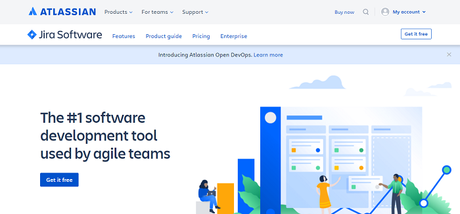
You can find all the features you require to manage a Scrum team. Jira’s workflow features are more extensive than the features of many project management tools.
Using Jira, agile software development teams can track bugs. An intuitive drag-and-drop interface makes sprint planning and task distribution easy. Almost all types of companies use it today for project management.
No coding experience is necessary to set up workflow automation in Jira. Automation templates are built-in, but you can also create your own.
Some high-level BMI features are available in Jira, including process templates, a sandbox tool, and road maps that let you test different scenarios before allocating resources or making estimates.
Although Jira provides a wide range of functions, users may find it a little overwhelming as they get started. When you are new to Scrum, opting for the software can take quite some time to get used to.
Features
- Customizable Scrum Boards
- Issues and Bug tracker
- Powerful Progress Reports
- Integration with multiple third-party applications
- Backlog Management
- Drag-and-Drop Automations
- Time Tracking
- Mobile App
- Customizable Dashboard
- Custom Filters and Permissions
- User Stories Mapping
- Project roadmaps
- Detailed reports
Pricing
Jira offers a 7-day free trial.
Plan Price
Free Free (Supports up to 10 users)
Standard $7/user/month
Premium $14/user/month
Enterprise Custom Pricing
Wrike
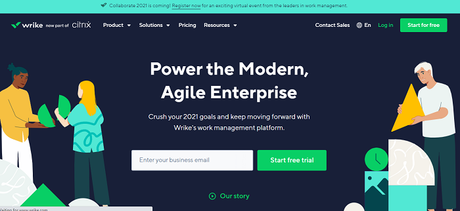
Wrike offers customizable Scrum boards, which you can use to streamline agile practices and improve sprint planning and execution. Moreover, you can create personalized boards for individual viewers, encourage real-time collaboration, and eliminate the need for time-consuming check-ins.
The easy-to-use interface in Wrike lets you switch between Agile Kanban boards, Gantt charts, and workload views. Wrike offers interactive training, guides, and videos, as well as a dedicated support center.
You can rebalance workload in a few clicks using intuitive resource management features. It is an excellent tool for managing projects that require frequent adjustments.
Features
- Customizable dashboards
- Scrum boards
- Kanban boards
- Custom Request Forms
- File sharing
- Proofing and approval automation
- Risk prediction
- Real-Time Collaboration
- Task Prioritization
- Project templates and Agile templates
- Time Tracking
- Gantt Charts
- Workload Management
- Automated Reports
- More than 400 pre-built native integrations.
Pricing
Wrike offers four plans:
Plan Price
Free Free (limited to 5 users)
Professional $9.80/user/month
Business $24.80/user/month
Enterprise Custom Pricing
Zoho Sprints
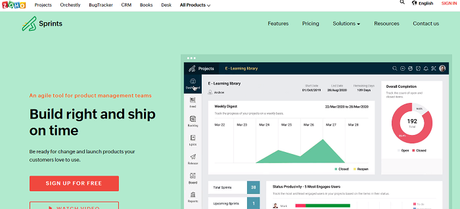
It is a great release management tool for Scrum teams because it provides a large set of features. You can use it to arrange meetings and keep everyone in touch. There are a variety of features available, including retrospectives and sprint planning. The app allows you to manage your daily stand-ups as well.
The tool automatically generates burndown charts, velocity charts, epic progress charts, and cumulative flow diagrams.
Features
- Customizable boards
- Meetings
- Custom fields
- Project templates
- Time tracking
Pricing
The free plan of Zoho Sprints is limited to 5 users and 5 projects.
Plan Price
Professional $12 per month (12 users)
VivifyScrum
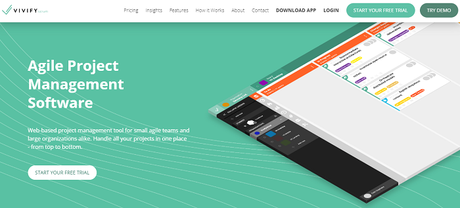
VivifyScrum is a fantastic tool for planning sprints, defining sprint goals, and setting work-in-progress limits. There are templates included in this tool to help you get started, and you can easily create custom processes based on those templates.
You can integrate Trello, Jira, Pivotal Tracker, GitHub, and BitBucket into this scrum software to make things run more efficiently.
Features
- Kanban boards
- Scrum boards
- Custom workflows
- Invoicing
- Time tracking
- Burndown charts
- Team management
- Client management
- Customizable Collaboration Boards
- Free Scrum Training
- Product Backlog Management
- Calendar Tools
- Third-Party Apps Integration
Pricing
VivifyScrum offers a 7-day free trial.
Plan Price
Basic $96 per year
Standard $4.8 /user/month
Growth $4 /user/month
Enterprise Custom pricing
ClickUp
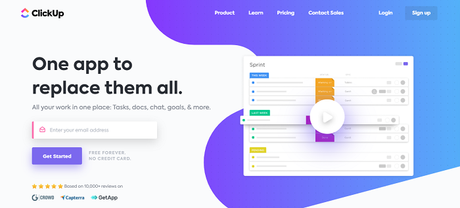
A ClickUp knowledge base allows you to organize information about the projects and teams within your organization. Workload charts provide an overview of team activity and workload.
The tool provides a quick overview of completed tasks, in-progress tasks, and dependencies.
Sharing information within your team is made easier with screenshots and screen recordings. Besides, the app allows you to send and receive emails.
Features
- Boards, Gantt, and Calendar views
- To-do lists
- Custom Task Statuses
- Reminders
- Goal tracking
- Story Points
- Time tracking
- Epics
- Templates
- Multiple Assignees
- Time Estimates
- Third-Party Apps Integration
- Fully functional apps for Android, Mac, iOS, Linux, and Windows
Pricing
Plan Price
Free Free (Limited features)
Paid $5 per user per month
Targetprocess
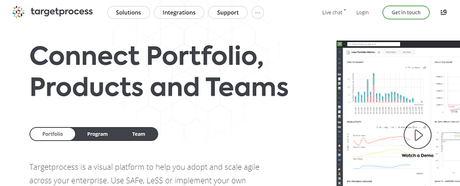
Due to its flexible design and user-friendly interface, this scrum management tool works well for companies with a wide range of portfolios. The Targetprocess app is also ideal for teams working on small projects and need to scale swiftly.
The tool lets you define standard practices for planning and tracking projects. You can customize access levels for team members, so they only see what they need. The best aspect of this tool is that it supports SAFe methods.
Features
- Custom workflows
- Custom Graphical Reports
- Automation rules
- Time tracking
- Backlog Management
- Risk response planning
- Issue and bug tracking
- Drag and drop interface
- Project timeline
- Shareable boards
- Multiple project reports
- Sprint management
- Android and iOS Apps
- Third-party app integrations
Pricing
Plan Price
Team Free (for limited users)
Company $20 per user per month
Enterprise Custom pricing
Scrumwise
It is easy to allocate work and organize sprints. Holidays and vacations are even visible when assigning tasks. You can efficiently manage team workloads with Scrumwise.
Furthermore, the tool includes time tracking features that allow you to evaluate your team members’ detailed time logs and charge your clients accordingly.
Features
- Kanban Boards
- Scrum Boards
- Team Chat Features
- Burndown Charts
- Time Tracking
- Tasks and subtasks management
- Product Backlog Management
- Third-Party App Integrations
- File sharing
- Drag and drop interface
- Burnup charts
Pricing
Plan Price
Monthly $9 per user per month
Yearly $7.50 per user per month (billed annually)
QuickScrum
You can use this software to create teams and define profiles for team members, which allows you to start working on projects right away.
You can host group discussions and invite team members to contribute ideas, data and discuss work-related topics. QuickScrum offers Scrum training online to both teams and individuals.
Features
- Scrum and Kanban boards
- Informative dashboards
- A drag-and-drop interface
- Dynamic Backlog Management
- Activity tracking
- Discussion Boards
- Customizable filters
- Sprint Planning Features
- Individual efforts tracker
- Burnup charts
- Burndown charts
- Third-party app integrations
- Resource-Wise Timesheets
Pricing
Free trial 14 days.
Plan Price
Paid $5 per user per month
Yodiz
Tracking your feature requests in a better manner is made easier with an epic management module. By setting priorities, you can make sure your team members know what tasks need to be completed by when to plan their time accordingly.
Yodiz’s burndown charts allow you to check how much work your team has left to do throughout the product lifecycle.
Features
- Sprint Management
- Swimlane diagrams
- Product Backlog Management
- Comments and tagging
- Smart Analytics
- Burndown Charts
- Release Management Features
- Issue tracker
- iOS and Android Apps
- Third-Party App Integrations
- Custom fields
- Issue Tracker
Pricing
Plan Price
Starter Free for a maximum of three users
Issue Tracker $3 per user per month
Agile Tool $5 per user per month
Self-hosted Custom pricing
Scrumfast
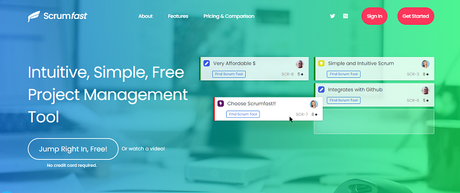
You can use it for basic tasks: tagging, multi-task updates, epics, estimating/sizing, and more, but it is not intended for advanced tasks. The other options, such as Gantt charts, won’t be available.
Features
- Task Management
- Project Management
- Collaboration Tools
- Prioritization
- Projections
- Alerts/Notifications
- Status Tracking
- Task Progress Tracking
- Reporting/Project Tracking
- API integration
Pricing
For up to 5 users, Scrumfast is free, but after that, it costs around $4 per month per user.
ScrumDo
In addition, you get a dashboard view, which lets you see your project status at any given time.
Using this tool, your team can move from Scrum to Kanban or Agile at scale while adopting modern workflow management processes.
Features
- Prediction functionality
- Project Timeline
- Burnup charts
- Customization Options
- Project Dashboard
- Burndown Charts
- Cumulative Flow Diagrams
- Excel export and import
- User Story Mapping
- Lead Time Histogram
- Third-Party App Integrations
Pricing
ScrumDo offers a 7-day free trial.
Plan Price
Scrumban $8.99 per month
Safeban $59.99 per month
Business Agility Custom pricing
Pivotal Tracker
Using this scrum app, you can share your backlog and prioritize tasks with your team, which allows you to decide what activities should be completed. Your team becomes more aware of each person’s role in the project’s achievement by doing so.
Features
- Backlog Management
- Team Transparency
- Third-party apps integrations
- Project History
- User Story Mapping
- Searchable Task Labels
- Cumulative Flow Diagrams
- Burnup Charts
- User Mentions
- Story Follows
Pricing
Plan Price
Free Free
Startup $10 monthly flat rate
Standard $6.50 per collaborator per month
Enterprise Custom pricing
Conclusion
Several scrum tools are available to assist in Agile project management. You must remember that each Agile development project and the team has its own requirements. It is important to find out what works for your Scrum or Agile team. Identify your team’s needs and choose the right scrum tool.






