


Who doesn’t want to enjoy watching a movie or even a video and have a nice experience? You can always watch a movie in a cinema but what if you want to lay back on your couch and experience high-quality streaming? Having fast internet is not enough. You need a good media player, too.
It’s 2019 and if you are still using Windows Media Player, you are missing out my friend. There is a world of media players out there equipped with nice features just like FiOS Internet Plans that offer a variety of options to users. They have the ability to handle 4K, 3d, and even 360-degree videos. Some of them even support the VR headsets! Plus, they are free.
In case you didn’t know, choosing a media player is no easy feat. That’s why we have listed down 10 best media players you can download for Windows. Let’s explore them one by one:
#1: VLC Media Player

Pros
- Supports all video and audio format you can think of
- Compatible with Windows, MAC, Android, Linux, UNIX, and MAC OS X.
- Highly customizable
Cons
- While playing DVD, you might encounter playback problems
#2: SM Player
Another thing that you will admire about this media player is that it remembers your file settings. The volume, audio, and subtitle settings will remain the same. You can play it in URL play for streaming. Other than this, its YouTube playback tool lets you integrate and stream videos from YouTube. It supports Full HD videos, too.
Pros
- Great playback quality
- Remembers your playback position
- Shortcuts available for almost all functions
Cons
- Windows 7 playback controls are not available
#3: DivX Player
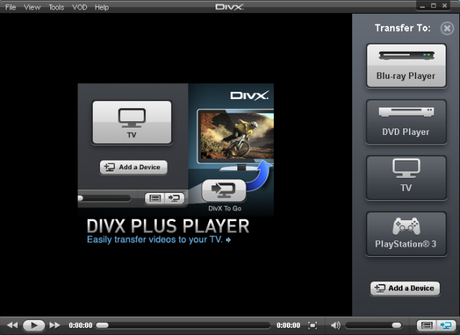
Another one of its cool features is the Trick Play option. It allows you to jump to different scenes. It supports multiple audios. And then we have its resume play feature that lets you start streaming from where you left. It is also very simple to use.
Pros
- Simple and easy to use interface
- Supports formats AVI, DIVX, XVID, MKV, MOV, MP4, WMV, VOB, MPEG, ASF, etc.
- Supports casting in HDR format
Cons
- Its installer may contain malware
#4: PotPlayer
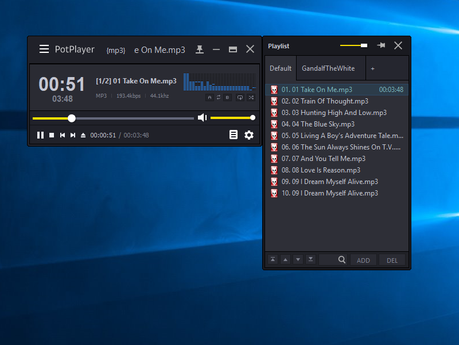
In short, this media player contains everything you need for enjoying videos and music. It also has a screen recorder, a video editor and a TV receiver. You can download movies and sync the subtitles. Or add them on your own. Apart from this, you have the liberty to customize the appearance. With the video editor, you can blur or sharpen an image, rotate it, reduce noise, or make any other edits you want on the clip. PotPlayer also supports 3D videos and 360-degree videos. It lets you fully immerse yourself in what you are watching.
Pros
- It’s fast and lightweight
- Provides extensive configuration options
- Comes with customizable logos, navigation elements, and color themes.
Cons
- The setup might be difficult for new users
#5: Media Player Classic
Pros
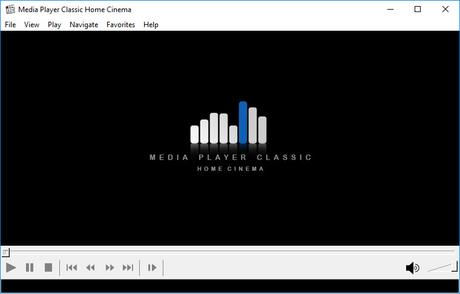
- It is simple yet efficient
- It is fully compatible with Windows 8.1
- Supports subtitles
Cons
- It does not support syncing for music
#6: Kodi
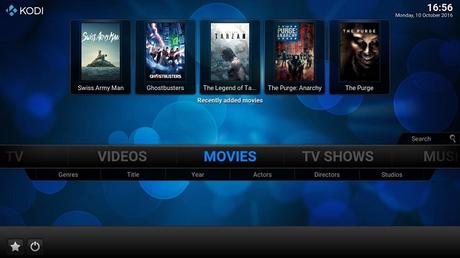
The thing users love about it most is the customization it offers. It is capable of playing videos in all popular formats. You can also use it to view photos or listen to podcasts. Originally, it was developed for first-generation Xbox gaming console. You can also use different plugins to expand its features. This also means you can use it with YouTube, Netflix, Veoh, and Hulu.
Pros
- It supports Android, iOS, Windows, Mac, Android TV Boxes, Amazon Fire devices
- It is extremely user-friendly
- The add-ons let you customize its interface.
Cons
- It makes you vulnerable to hackers
#7: RealPlayer
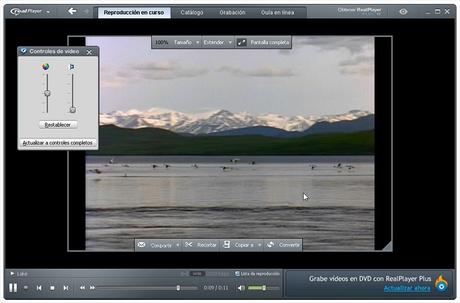
Another reason why people might be interested in using RealPlayer in 2019 is the fact that you can download content from YouTube and Vimeo. Once it detects that a video is playing, it shows a tab on the top of the screen. Just click on it and it will let you download the video. It has a built-in converter. Simply select the video and convert click. It will show you different options and then you can take action accordingly.
Pros
- It has a nice user interface
- It supports file conversion
- It offers cloud-based storage and management features
Cons
- Some of its functions inconsistent
#8: GOM Media Player
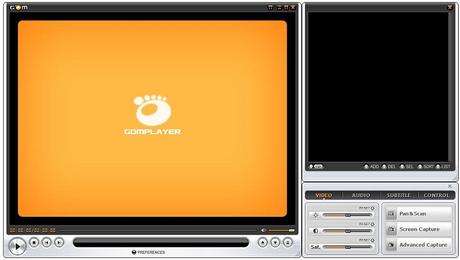
GOM player supports VR and 360-degree videos. It also has custom configurations that let you enhance the viewer experience. Another special feature of GOM media player is GOM remote. It allows a user to link their smartphone with the GOM player. You won’t even have to get off the couch to stream content.
Pros
- It has a sleek design and user-friendly interface
- Codecs are included
- It even plays broken AVI files
Cons
- It contains too many adware
#9: MediaMonkey
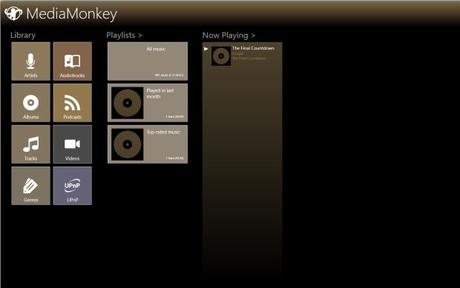
It has a jukebox option that lets you push media to UPnP, Chromecast and other DLNA devices. It even allows you to tag your music collection and that happens automatically. For more entertainment, you can also sync the content stored in the media player to your phone.
You have guessed it right, these advanced features cost subscription. But its standard version is free. If you opt for the Gold Edition, the features you will get include advanced searching, disc burning, and background media organization. Along with a desktop version, its Android app is available as well.
Pros
- It helps organize your music collection
- It supports all common audio and video formats
- It’s configurable for hotkeys
Cons
- Displays database error often
#10: Plex
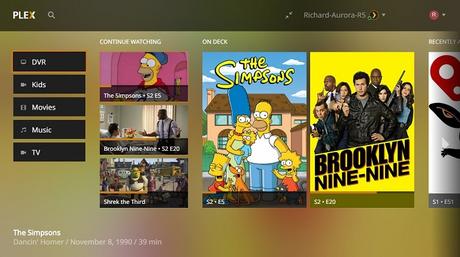
Its user interface is a joy. All the information you need will be at your fingertips. It displays your content with an unwatched icon so that you can easily see what you have watched. It also lets you keep track of what you were viewing and pick from where you left.
Pros
- Simple yet intriguing user interface
- Great streaming quality
- Very lightweight
Cons
- Installation and setup is lengthy
- Limited file sharing
Tips on Choosing a Media Player
After seeing all these options, you must be wondering which media player to choose? Should you stick to VLC player or go for others in the list? That merely depends on your needs. Perhaps these tips might help:
- Ask yourself, what formats and codecs you need to play? The media player you choose must be capable of handling special audio formats if that’s what you need.
- Time after time, will you need to convert videos into a different format? If yes, then your media player must support video conversion.
- Do you like to keep track of your videos, photos or movies? Then you need a media player that keeps track of your collection through a library.
- Everyone likes a good old user interface. Make sure the media player kooks as well as feel good. Plus, it must be easy to use.
- Does the media player offer additional features? Because these features sometimes can be very handy especially if you are looking for customization.
Final Words
This concludes the list of top 10 media players for Windows. All of them are free. Some support premium versions, too, in case you want access to advanced features. These players will let you enjoy streaming videos at home and experience the cinema-like thrill. As long as the Internet speed is fine, live streaming would be a breeze. When facing quality issues, if nothing is wrong with the media player, you might want to upgrade your Internet bundle. In that case, simply dial the Frontier Customer number (+1-844-813-5884).






