


While pure skill is king in Call of Duty: Modern Warfare IIhaving the right settings can certainly improve your performance. Tinkering with the settings is part of the Modern Warfare II experience, but as with most things in the series, there are an overwhelming number of options to choose from.
We've spent a considerable time with the multiplayer mode, and have fine-tuned our settings to maximize performance. In this guide, we'll show you the best in-game settings for multiplayer, but keep in mind, many of these options come down to personal preference. Still, there are some that are objectively better than others. In addition, Infinity Ward will likely add new settings, or alter the way some current settings work.
Recommended reading:Controller
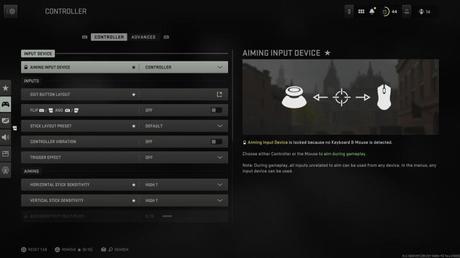
Inputs
Aiming
Gameplay
Advanced controller
Aim Assist
Aiming
Movement behaviors
Combat behaviors
Vehicle behaviors
Overlays behaviors
Graphics
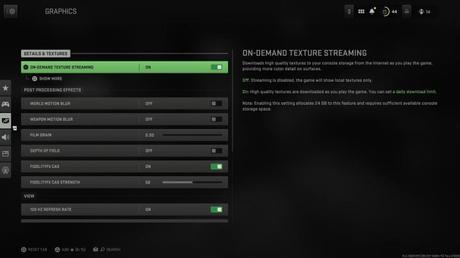
Details & textures
Post processing effects
View
Audio
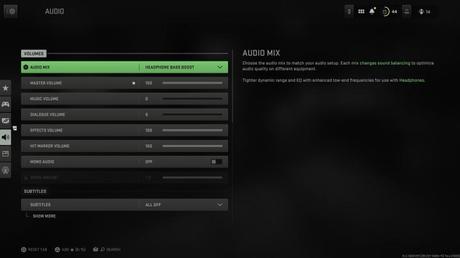
Volumes
Subtitles
Voice chat
Channels
Audio advanced settings
Interface
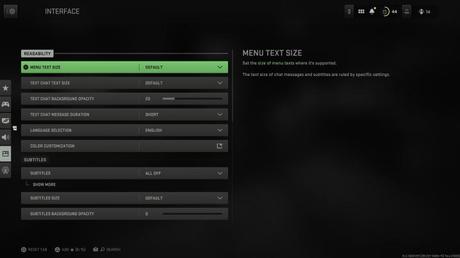
Readability
Subtitles
HUD
Telemetry
Advanced interface settings
Account & Network
Online
Content filters
Editors' Recommendations






